LinkedIn
  You-tube



Many organizations invest in Dynamics 365 Business Central expecting better visibility, streamlined operations, and faster decision-making. Yet months after go-live, many leadership teams are asking the same question:
“Why aren’t we seeing the results we expected?”
If your team is still relying on spreadsheets, struggling with reporting, manually fixing errors, or working around system limitations, the problem may not be Business Central itself.
More often, the issue lies within the setup, configuration, controls, and processes that support it.
A Business Central Health Check helps uncover hidden configuration issues, control weaknesses, reporting limitations, and process gaps that quietly prevent your ERP from delivering its full value.
In this guide, we’ll explore what a Business Central Health Check includes, common issues we discover, and how businesses can improve performance, reporting accuracy, and ROI from their ERP investment.
What Is a Business Central Health Check?
A Business Central Health Check is a structured review of your Dynamics 365 Business Central environment designed to identify configuration issues, process inefficiencies, reporting gaps, security risks, and scalability concerns.
Rather than focusing on software upgrades or major redevelopment projects, a health check evaluates whether your existing Business Central setup is aligned with how your business operates today.
The objective is simple:
- Improve system performance
- Strengthen financial controls
- Increase reporting accuracy
- Reduce manual workarounds
- Support future growth
- Maximize ERP ROI
For many organizations, a Business Central Health Check uncovers issues that have existed for years without being recognized.
The Hidden Cost of Poor ERP Configuration
Many organizations complete their Business Central implementation only to discover that the underlying setup was built on shaky ground. This isn’t always the implementing partner’s fault. Sometimes requirements weren’t fully understood. Sometimes your business evolved faster than your configuration could adapt. This commonly happens when implementation projects focus heavily on go-live speed rather than long-term scalability and governance.
The result? Technical debt accumulates silently until you’re struggling with:
- Reporting that doesn’t reflect reality – Your finance team spends hours reconciling instead of analyzing
- Process bottlenecks – Workflows aren’t configured to match how your business actually works
- Weak internal controls – Direct posting is enabled where it shouldn’t be, leaving audit trails vulnerable
- Scalability problems – Your current setup can’t support the growth you’re targeting
- User frustration – Because the system wasn’t configured for how people actually work
The unfortunate truth: Poor configuration is invisible until it costs you time and credibility.
Signs You Need a Business Central Health Check
Many businesses don’t realize they have ERP configuration issues until they start affecting performance. You may benefit from a Business Central Health Check if:
- Month-end close takes longer than expected
- Financial reports require manual adjustments
- Users frequently rely on spreadsheets
- Approval workflows are inconsistent or bypassed
- Audit findings repeatedly highlight control weaknesses
- Teams complain that Business Central is “too difficult” to use
- Reporting lacks visibility by department, project, or location
- New business requirements require excessive customization
If any of these challenges sound familiar, your current configuration may limit the value of your ERP investment.
What D365 Business Central Health Check Actually Looks At
A Business Central Health Check examines the foundational elements of your Business Central environment. Think of it like a home inspection, you’re not rebuilding the house, you’re identifying structural issues before they become expensive problems.
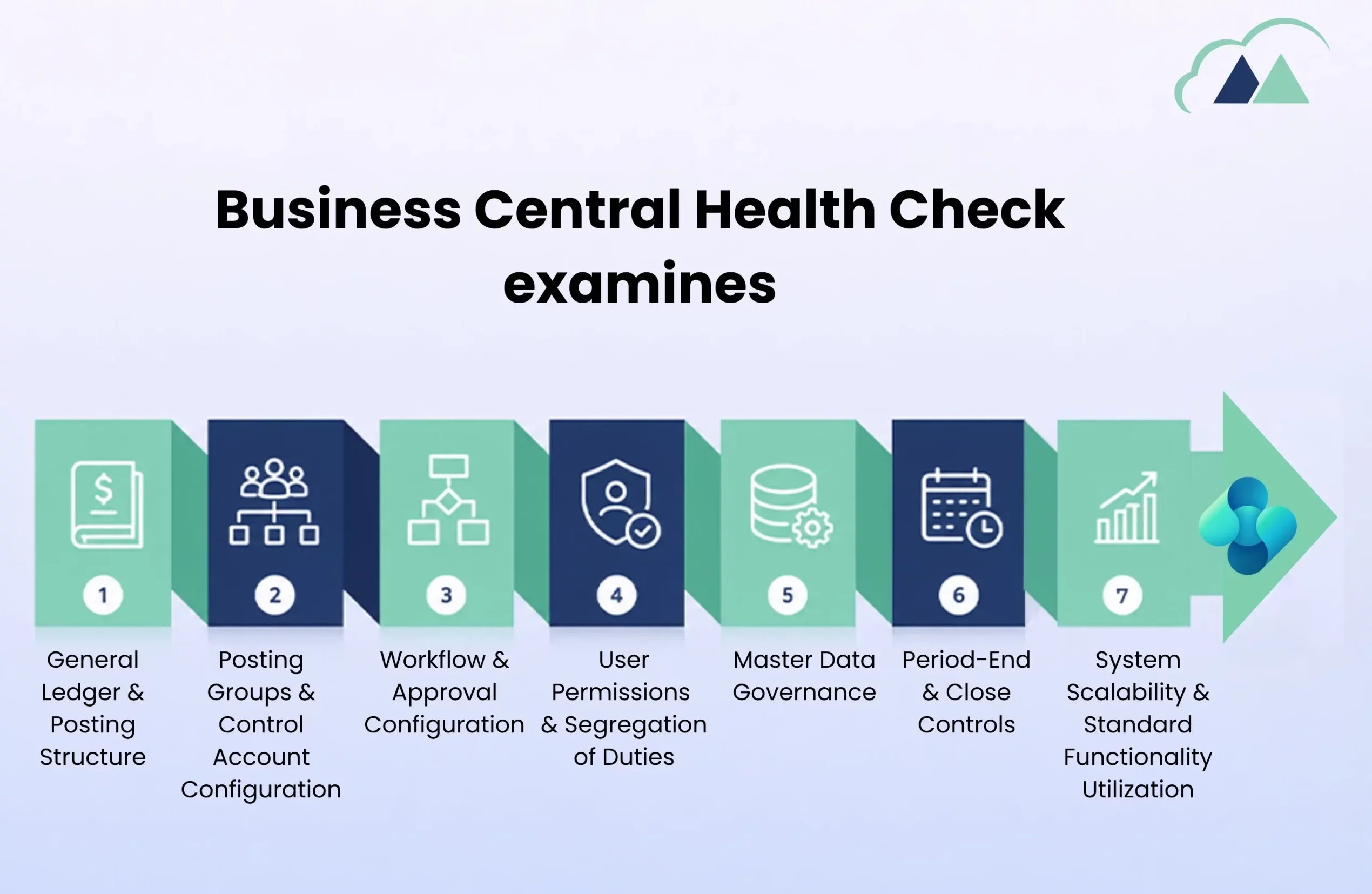
1. General Ledger & Posting Structure
Your Chart of Accounts is the backbone of all financial reporting. A health check evaluates:
- Is your CoA logical and scalable? – Too many accounts create clutter; too few hides visibility
- Are posting groups correctly configured? – Misaligned posting groups cause reconciliation nightmares
- Is direct posting properly restricted? – If users can post directly to control accounts, you have a governance problem
- Are dimensions properly set up? – Underutilized dimensions mean you can’t slice reporting the way leadership needs
A real example: One client we worked with had direct posting enabled on their Accounts Payable control account. This meant invoices could be recorded in two ways: through the proper subledger OR directly to the general ledger. Result? Their AP subledger was off by thousands of dollars. No one could explain why. It took weeks to reconcile because the root cause wasn’t obvious.
2. Posting Groups & Control Account Configuration
This is where most organizations have silent problems:
- Vendor posting groups – Are they aligned with your vendor types and AP processes?
- Customer posting groups – Can you segment customers for different sales processes?
- Inventory posting groups – Does your posting structure support your costing method?
- Bank account posting – Are transactions flowing to the right G/L accounts?
When posting groups are misconfigured, you don’t get error messages; you get wrong numbers that appear correct until someone digs deeper.
3. Workflow & Approval Configuration
Workflows are where Business Central prevents problems, but only if they’re properly designed:
- Is approval of workflows in place for high-risk transactions? – Purchase orders over a threshold, journal entries, payments
- Do workflows match your actual approval hierarchy? – Or are they generic templates that don’t reflect your business?
- Are there gaps in approval coverage? – Missing workflows for critical processes create control weaknesses
- Are posting restrictions enforced? – Users shouldn’t be able to bypass approval workflows
One client discovered their purchase approval workflow was configured but not assigned to any users. Approvals were completely bypassed. Thousands of unauthorized purchases went undetected.
4. User Permissions & Segregation of Duties
During a Business Central Health Check, consultants review:
- Are permissions granted by role or individually? – Random individual permissions create audit risks
- Can a single user create, approve, and post transactions? – This is a segregation-of-duties violation
- Are there users with “super-admin” access who shouldn’t have it? – Legacy access often lingers from implementation
- Do permissions match job responsibilities? – Or are they overly broad “just in case”?
The goal isn’t to lock users out; it’s to ensure the right people have the right access to do their jobs safely.
5. Master Data Governance
Master data quality cascades through everything. A Business Central Health Check also evaluates:
- Customer master data – Are required fields consistently filled? Can you segment customers meaningfully?
- Vendor master data – Are duplicate vendors in the system? Is payment information accurate?
- Item master data – Are costing methods consistent? Are standard costs regularly updated?
- Dimension values – Are departments, location, and project codes complete and meaningful?
Poor master data governance doesn’t trigger errors; it silently corrupts your reporting and analysis.
6. Period-End & Close Controls
Month-end and year-end close can be smooth or chaotic depending on configuration:
- Are accounting periods properly locked? – Preventing accidental posting to closed periods
- Are reconciliation workflows in place? – Bank recs, subledger reconciliations, inter-company settlements
- Is there a formal period-end checklist? – Or is close handled differently each month based on who’s doing it
- Are reversing entries properly configured? – For accruals and other period-adjustments
A health check identifies where your close process is fragile or dependent on key individuals. Organizations with growing transaction volumes often benefit from structured accounting support alongside ERP optimization initiatives.
7. System Scalability & Standard Functionality Utilization
As your business grows, does your ERP grow with it?
- Are you using standard Business Central functionality effectively? – Or working around limitations that could be solved with better configuration
- Is your setup vendor-agnostic? – Or heavily dependent on customizations that become expensive to maintain
- Can the system support additional entities, departments, or business units? – Or would significant rework be needed
- Are you positioned to adopt advanced features later? – Or have early decisions locked you into limitations
Common Configuration Issues We Identify
Based on engagements with dozens of organizations, here are the setup problems that most frequently emerge:
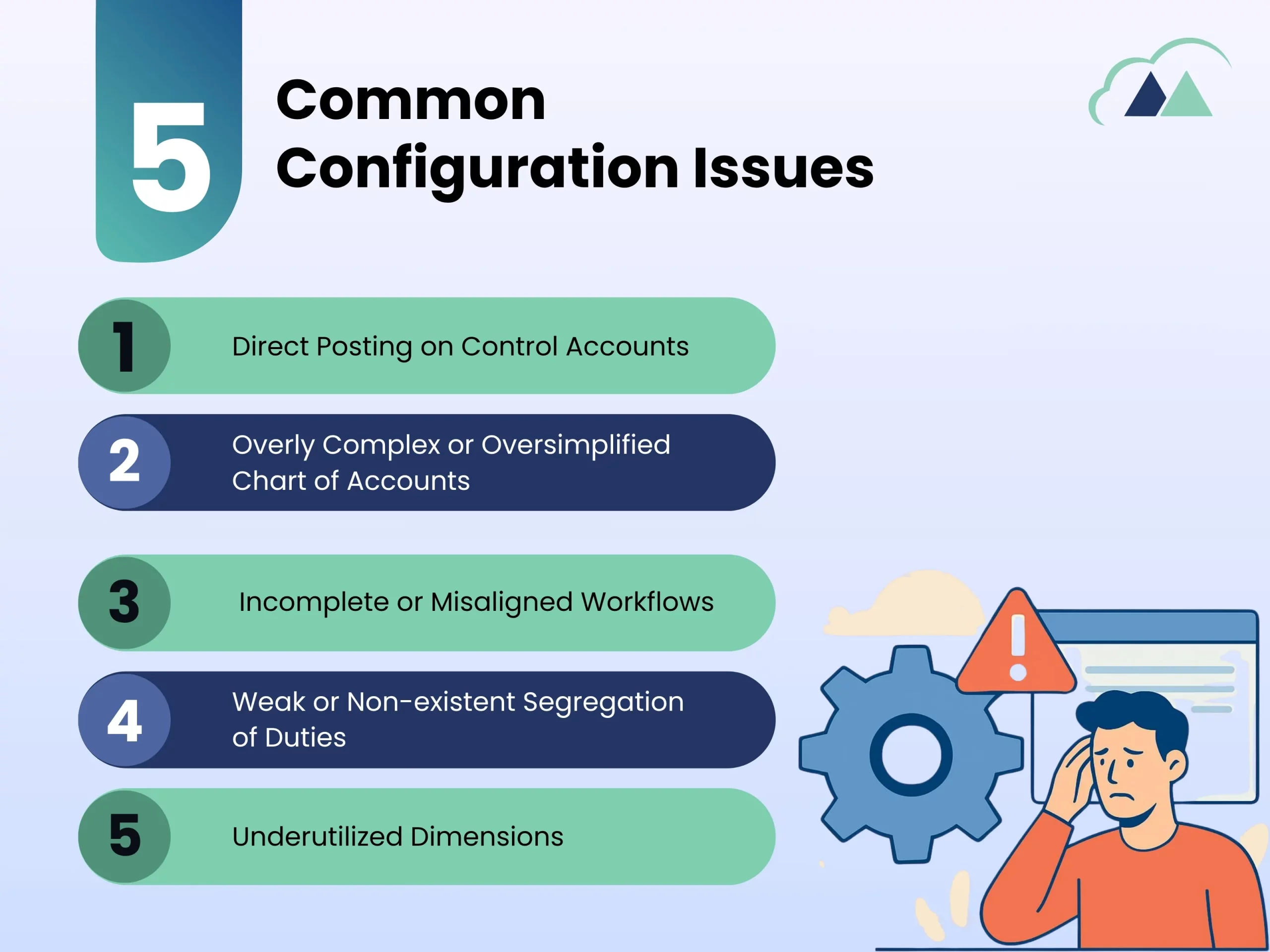
Issue 1: Direct Posting on Control Accounts
What it looks like: Users can post directly to Accounts Payable, Accounts Receivable, or Inventory accounts instead of using proper subledgers.
Why it’s a problem: It creates reconciliation nightmares. Transactions appear in multiple places. Audit trails become unreliable. Subledgers won’t balance the general ledger.
How to check: Open the G/L Account card for your control accounts. Look for the “Direct Posting” field. If it’s enabled, you have a risk.
Issue 2: Overly Complex or Oversimplified Chart of Accounts
What it looks like: Either hundreds of accounts that no one understands, or so few accounts that reporting requires extensive manual work.
Why it’s a problem: Too many accounts and users post to the wrong ones. Too few and you can’t segment your reporting. Either way, your financial statements require hours of manual reconciliation.
How to check: Run an account activity report. How many accounts have zero activity? Are your profit centers, departments, or locations buried in account numbers instead of properly dimensioned?
Issue 3: Incomplete or Misaligned Workflows
What it looks like: Workflows exist for some processes but not others. Or workflows don’t match how your business actually approves transactions.
Why it’s a problem: Critical approvals get skipped. Unauthorized transactions slip through. Users resent workflows that don’t match reality and find workarounds.
How to check: List your critical transaction types (POs, invoices, journal entries, payments). Do workflows exist for all of them? Are they actively used or bypassed?
Issue 4: Weak or Nonexistent Segregation of Duties
What it looks like: The AP person creates vendors, enters invoices, AND approves payments. Or the warehouse manager can adjust inventory quantities without approval.
Why it’s a problem: Fraud risk. Honest mistakes go undetected. Auditors flag it. Your insurance or compliance requirements aren’t met.
How to check: Could one person – if they wanted to – create and process a fraudulent transaction without anyone else catching it?
Issue 5: Underutilized Dimensions
What it looks like: You have dimensions available (department, location, project), but users aren’t required to use them. Or they’re used inconsistently.
Why it’s a problem: You can’t segment profitability. Department heads can’t see their own performance. You’re left with manual Excel reports to answer basic business questions.
How to check: Run a profit analysis. Can you break it down by your key business segments without leaving Business Central?
The Business Central Health Check Process: What to Expect
A structured configuration health check follows a proven methodology:
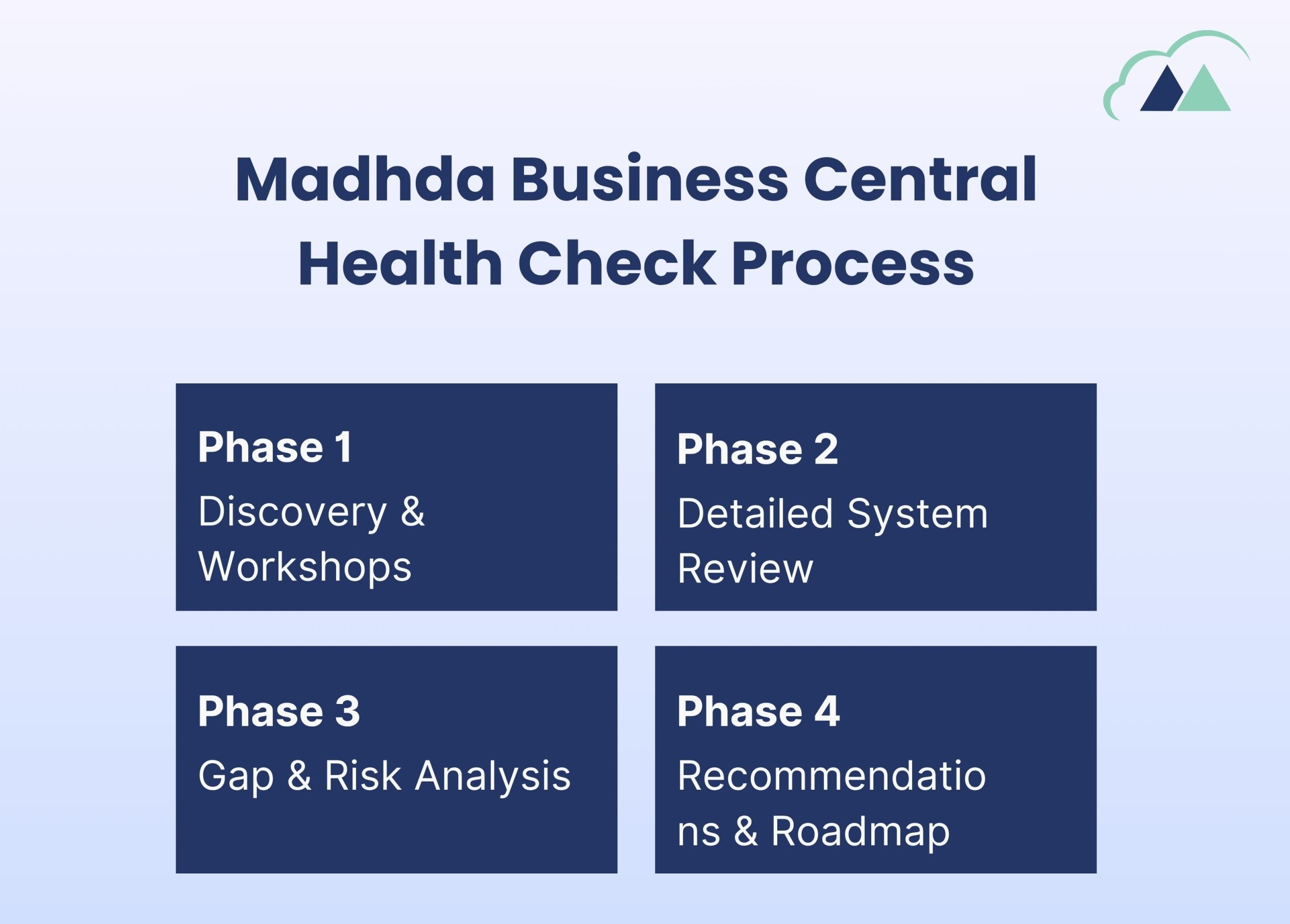
Phase 1: Discovery & Workshops
We meet with your finance team, operations leaders, and system administrators to understand:
- How the business actually works (not how it’s supposed to work)
- What reporting you actually need
- What pain points frustrate your team daily
- What processes depend on key individuals
Phase 2: Detailed System Review
Our consultants audit your actual configuration:
- Chart of Accounts structure and usage
- Posting groups and control account settings
- Workflows and approval rules
- User permissions and segregation of duties
- Master data governance
- Period-end controls and close processes
- Dimension usage and reporting structure
Phase 3: Gap & Risk Analysis
We identify:
- Configuration gaps vs. your business requirements
- Control weaknesses and audit risks
- Scalability constraints
- Inconsistencies in setup
- Underutilized functionality
Phase 4: Recommendations & Roadmap
You receive:
- An executive summary of key findings
- A prioritized list of issues (quick wins vs. long-term improvements)
- Specific recommendations with business impact
- An implementation roadmap with estimated effort
- A management presentation for leadership
What You’ll Gain from a Configuration Health Check
Organizations that conduct this review typically achieve:
✓ Clearer understanding of what’s working and what isn’t
✓ Confidence in your financial reporting
✓ Reduced manual workarounds
✓ Faster month-end close
✓ Better audit readiness
✓ Improved user satisfaction (when workflows match reality)
✓ A roadmap for ERP optimization
✓ Identification of quick wins you can implement immediately
✓ Clarity on what customizations are actually needed vs. configuration fixes
The Real Question: Is Your Configuration Investment or Liability?
Your Business Central setup is either an asset that compounds in value or a liability that costs you time every single day.
A configuration health check answers the fundamental question: Is your ERP foundation strong enough to deliver the ROI you expected?
If the answer is no, you’ll finally have a clear roadmap to fix it.
Schedule Your Business Central Health Check
If you’re unsure whether your Dynamics 365 Business Central environment is configured for long-term success, a Business Central Health Check can provide clarity.
Our consultants review your configuration, financial controls, workflows, reporting structure, security settings, and overall system design to identify risks, improvement opportunities, and quick wins.
You’ll receive:
- A detailed findings report
- Prioritized recommendations
- Risk and control assessment
- ERP optimization roadmap
- Practical next steps aligned to your business goals
A Business Central Health Check is often the fastest way to improve reporting accuracy, strengthen controls, and maximize the return on your Business Central investment. 
Book a discovery session today and find out whether your ERP is helping your business grow or quietly holding it back.