LinkedIn
  You-tube


The June 2026 update to Microsoft Dynamics 365 Finance (version 10.0.48) brings a serious set of capability upgrades from smarter vendor invoice handling to electronic invoicing for France, tighter bank reconciliation automation, and a simplified path to modern tax calculation. If your organization runs on D365 Finance, this release deserves your attention.
Every few months, Microsoft drops a new update for Dynamics 365 Finance, and some of them are incremental a bug fixes here, a performance tweak there. Then there are releases like 10.0.48, which genuinely move the needle across multiple functional areas at once.
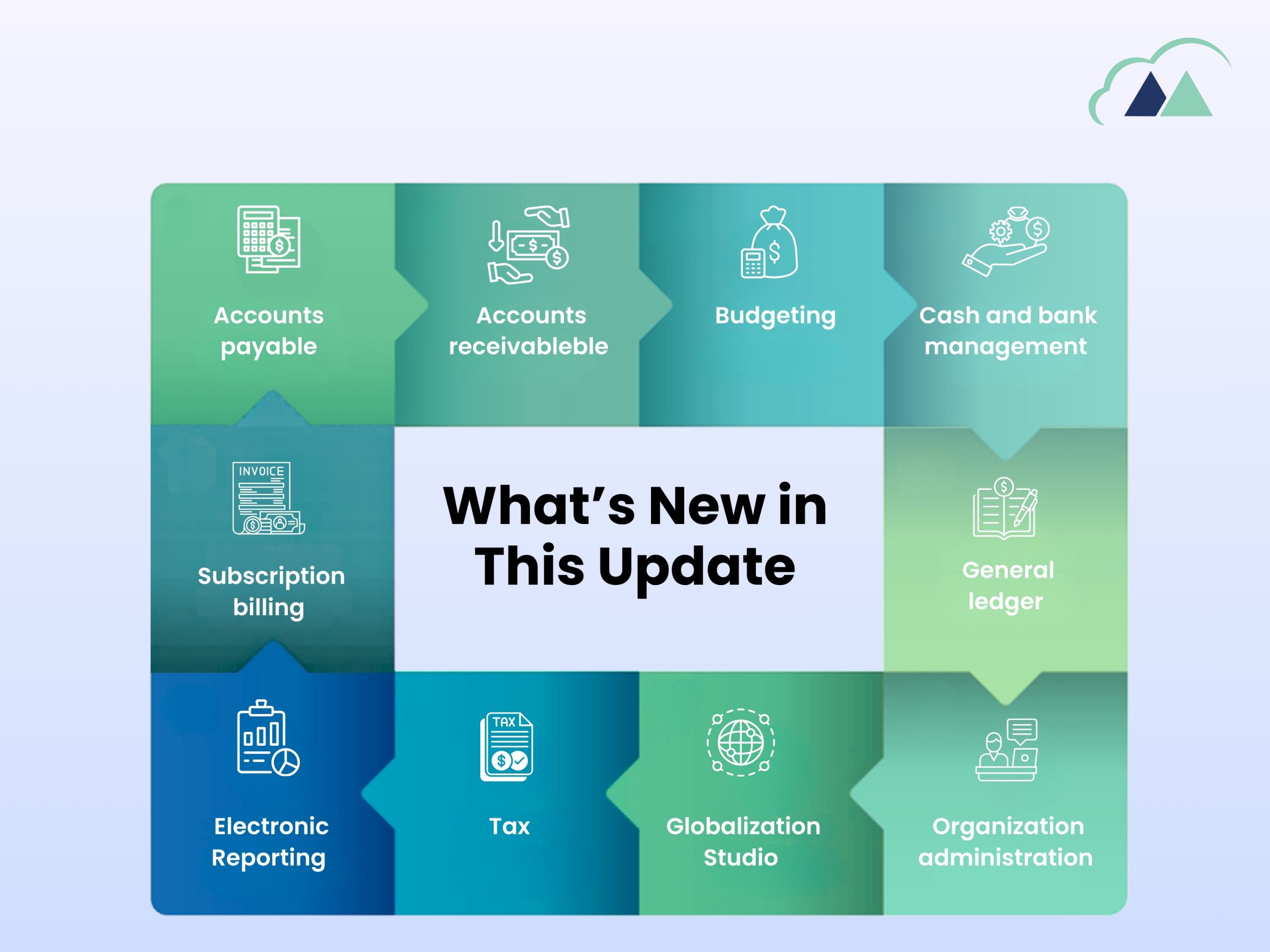
Version 10.0.48 hit general availability in June 2026 (with auto-update rolling out in July 2026), and the feature list covers a widespread: Accounts Payable, Accounts Receivable, Budgeting, Cash and Bank Management, General Ledger, Subscription Billing, and Globalization. Whether you’re a finance controller, a D365 consultant, or an IT lead responsible for keeping your ERP environment current, there’s something here that’s likely relevant to your day-to-day.
Let’s walk through what’s new in the update:
Accounts Payable: Your Vendor Invoices Now Know Where the Goods Came From
One of the more practically useful additions to this release is the Vendor Ship-From Address Support on Invoices feature in Accounts Payable.
Here’s the real-world problem it solves when vendor ships goods from a specific establishment say, their warehouse in Lyon rather than their registered head office in Paris that location matters for tax purposes, compliance checks, and audit trails. Up until now, D365 Finance didn’t have a clean native way to capture and immutably store that ship-from establishment address directly on the invoice.
With 10.0.48, that changes. The ship-from address is now captured on vendor invoices posted from both purchase orders and journals. Once posted, the address is locked it cannot be edited, which is exactly what regulators and auditors want to see. This feature works hand-in-hand with the new Establishment and Registration ID Governance feature (covered below), so if you’re operating in a multi-establishment, multi-registration scenario — especially in jurisdictions with strict e-invoicing mandates – this is one to enable early.
Accounts Receivable: French Regulation Date Validation-Simple but Important
If you have legal entities operating in France, take note of this one: 10.0.48 introduces an invoice date validation rule aligned with French regulatory requirements.
The rule is straightforward if the delivery date on a transaction is later than the invoice date, the system will block posting. This might sound like a minor guard rail, but in practice it’s the kind of thing that slips through during busy period-end processing and creates downstream headaches during VAT returns or audits.
This is a parameter-driven feature, meaning your functional team can enable it selectively for the relevant legal entities without it affecting your entire environment.
There’s also a quiet but useful enhancement in this area: free text invoices now automatically pull the transaction description from the Financial Tag’s default description setup both at header and line level. Less manual data entry, fewer inconsistencies.
Budgeting: Finally, a Proper Year-End Purchase Order Inquiry
If you’ve ever been through a fiscal year-end close in D365 Finance, you’ll know the purchase order carry-forward process can feel like a bit of a black box. Purchase orders get processed, fiscal years close, and then the finance team is left piecing together which POs moved forward and what their status is often through custom reports or manual investigation.
Version 10.0.48 adds a dedicated inquiry for exactly this scenario. The new Purchase Order Year-End Inquiry gives finance teams a single place to review:
- Which fiscal year was closed
- The original and updated accounting dates on each PO
- The resulting document status after year-end processing
This is genuinely useful for audit support, period-close reconciliation, and just giving your finance team visibility they didn’t have before without needing to run a custom SQL query or export to Excel and manually cross-reference.
Cash and Bank Management: Three Solid Enhancements
The Cash and Bank module get three distinct improvements in this release each one targeting a real operational pain point.
Automatic Clearing of Centralized Bridged Vendor Payments
In organisations with centralised payment processing – where one legal entity makes payments on behalf of others — bridge transactions between entities can pile up and require manual clearing during bank reconciliation. This feature automates that clearing step. When bank reconciliation is completed, the system now automatically posts clearing journals in the centralised payment legal entity, and reconciliation and inquiry pages surface the relevant legal entity and related party information so nothing falls through the cracks.
Cash Discount Support in Customer Invoice Matching
When reconciling customer invoice payments against bank statements, you sometimes need to factor in an early payment discount. Previously, the settle customer invoice reconciliation matching rules didn’t support cash discounts natively. Now they do with the option to apply cash discounts explicitly when enabled on the matching rule. This is a granular enhancement, but for treasury teams processing high volumes of customer receipts, it can save meaningful manual effort.
IN Operator for Bank Reconciliation Matching Rules
This is a technical enhancement, but a useful one. The IN operator is now supported for Statement and Document matching rules in bank reconciliation enabling you to write rules that match against a set of values rather than a single value. Applies to one-to-one matching scenarios. More flexible rule configuration, fewer workarounds.
General Ledger: Three Data Maintenance Tools for Settlement Health
This section is less about new functionality and more about giving you tools to fix things that may have quietly gone wrong in your ledger settlement data over time. Three data maintenance utilities ship with 10.0.48:
- Correct Ledger Settlement Records with Mismatched Partials – detects and fixes transactions that have ledger settlement records but haven’t been properly marked as settled.
- Clean Up Partial Ledger Settlement Records – finds and removes partial settlement records where all related records are fully reversed or missing.
- Correct Ledger Settlement Record Status and Remaining Balance – detects and fixes status and remaining balance discrepancies in partial settlement records.
These are the kind of issues that can build up silently over months of use, especially in environments with high transaction volumes or where reconciliation processes have been run inconsistently. Running these tools proactively as part of your period-close checklist is a sensible practice going forward.
There’s also a new Recreate Missing Consolidation Transactions option enabled by default which addresses data inconsistencies that can occur when a consolidation process stops mid-run due to a system interruption or a manual termination. It’s a recovery tool, and it’s now built in.
Organization Administration: Establishment and Registration ID Governance — A Foundational Change
This is arguably the most far-reaching feature in the 10.0.48 release, and it’s one that organizations with complex legal entity structures, multi-country operations, or strong compliance requirements should understand carefully.
The Establishment and Registration ID Governance on Invoices feature introduces a unified model for how establishment information and registration IDs are captured, validated, and stored across all invoice creation paths in D365 Finance. That means:
- Free text invoices
- Sales orders
- Purchase orders
- Vendor invoices and pending vendor invoices
- Project invoice proposals
- Intercompany customer invoices
- General journals
For each of these document types, the establishment is now captured at the document level and stored immutably on the posted invoice. The system validates all mandatory Registration IDs according to Invoice Party Applicability Rules at posting time, and the IDs are locked once posted.
What this practically means: if your organization has multiple establishments within a legal entity – different branches, warehouses, or operational units this feature ensures that invoices correctly identify which establishment is involved in each transaction, and that the right registration IDs (VAT numbers, tax registration codes, and similar) are present and validated before posting occurs.
This is essential groundwork for e-invoicing compliance in many EU and LATAM markets, and it directly enables the Vendor Ship-From Address feature in Accounts Payable.
Globalization Studio: Electronic Invoicing for France
France’s mandate for B2B electronic invoicing is one of the most significant regulatory changes hitting European businesses right now. With 10.0.48, Microsoft has shipped direct support for French e-invoicing compliance within Dynamics 365 Finance.
Here’s what the feature covers:
- Generates electronic invoice XML files in the French UBL-based format for domestic B2B invoices and credit notes (from sales orders, free text invoices, and project invoices)
- Transmits invoices to counterparties and the French tax authorities through EDICOM, which acts as an Accredited Service Provider (Plateforme de Dématérialisation Partenaire)
- Supports receipt of vendor electronic invoices in UBL format via EDICOM
- Handles mandatory invoice lifecycle statuses – including sending and receiving responses
If your organisation has French legal entities, this feature eliminates the need for third-party middleware or manual XML generation processes. Combined with the Establishment and Registration ID Governance feature, you get an end-to-end e-invoicing workflow that’s built natively into the platform.
This is a feature management toggle, and enabling it will require coordination with your Globalization Studio and Electronic Reporting configurations.
Tax: Automated Tax Feature Creation
Microsoft has been gradually building out its modern Tax Calculation service for D365 Finance, and 10.0.48 takes another step toward making migration smoother. The Automated Tax Feature Creation (currently in preview) uses your existing tax master data as the foundation to automatically create the required records in the Tax Feature setup page.
In practical terms: your existing tax codes, sales tax groups, and item sales tax groups are read and used to build out the Tax Feature configuration rather than requiring a finance team to recreate all of that manually from scratch. The intention is to reduce the setup complexity and make the transition to the advanced Tax Calculation experience more approachable.
Worth noting: this feature is supported globally, except for Brazil and India, which have their own localization pathways.
Subscription Billing: Several Quality-of-Life Improvements
If your organization uses the Subscription Billing module, 10.0.48 brings a cluster of improvements that address some long-standing operational friction:
- Consumed Quantity Updates – When you update a consumed quantity on a Usage billing line, the system now automatically reposts the Unbilled Revenue journal with the corrected amount across all revenue-allocated lines. No more manual adjustment journals to bring your deferred and unbilled revenue GL balances back into alignment.
- Revenue Dimension Accuracy from MEA Credit Notes – Revenue posted from Multiple Element Arrangement (MEA) credit notes is now dimensionally accurate. Finance and cost centre reporting reflects line-level attribution rather than collapsing everything onto the header. This matters for organizations with detailed segment or cost centre reporting requirements.
- Hold on Fully-Invoiced Lines – You can now apply a Hold to any billing schedule line regardless of its invoicing completion state. This unblocks scenarios where you need to prevent further processing on lines that are fully invoiced but still active in the billing schedule.
- Batch Processing Performance – Recognition batch processing and the Unbilled Revenue batch feature have both received performance improvements, particularly relevant for organizations running large billing schedule volumes.
Electronic Reporting: BCC Support in Email Destinations
A small but genuinely useful enhancement: when you configure an Electronic Reporting email destination, you can now specify BCC (blind carbon copy) recipients in addition to the existing To and CC fields. This lets organizations quietly copy compliance mailboxes, archival addresses, or audit teams on generated reports without those recipients being visible to the primary recipients. Simple, practical, and enabled by default.
Deployment Timeline: What You Need to Know
Here’s the release schedule for 10.0.48:
- Preview availability: April 2026
- General availability (self-update): June 2026
- General availability (auto-update): July 2026
If your organization is on a managed update cadence, your environment will be auto updated in July 2026 unless you proactively manage update timing through Lifecycle Services. For environments where change management is critical – particularly those enabling the Registration ID Governance or France e-invoicing features we’d strongly recommend doing a preview deployment and functional testing ahead of the July auto-update window.
Want more details on this update check out this : What’s new or changed in Dynamics 365 Finance 10.0.48
Madhda’s Take on the new updates
Version 10.0.48 isn’t a flashy release full of AI announcements – but it’s a solid, operationally focused update that shows Microsoft is listening to finance teams about the day-to-day friction points.
The Registration ID Governance and France e-invoicing features are the most strategically significant additions, particularly for organizations in or expanding into European markets. The bank reconciliation improvements and subscription billing fixes are the kind of enhancements that won’t make headlines but will make life noticeably easier for treasury and finance operations teams. And the GL data maintenance tools are quietly important for any organization that’s been running D365 Finance for a few years and hasn’t had clean tooling to verify ledger settlement data integrity.
Ready to Upgrade to Dynamics 365 Finance 10.0.48?
Whether you are planning your upgrade path, evaluating new features, or need expert guidance on rolling out 10.0.48 — Madhda is here to help. Our certified Dynamics 365 experts ensure smooth upgrades, accurate configurations, and a fully prepared team.
Talk to a Dynamics 365 Expert at Madhda Today
sales@madhda.com