LinkedIn
  You-tube

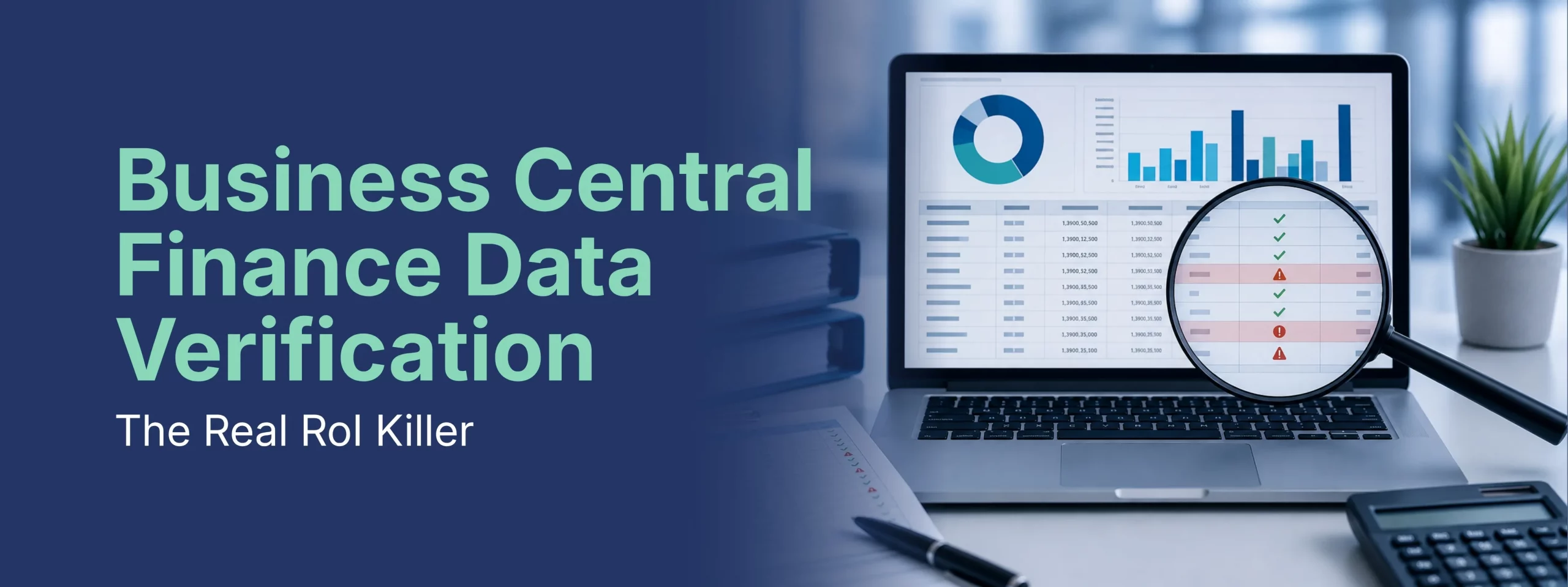

Many Business Central implementations look fine on the surface reports run, month-end closes, leadership signs off. But underlying issues often go undetected: subledgers that don’t match the GL, unreconciled bank accounts, duplicate vendors, and master data errors. This blog breaks down the five critical areas every finance team should validate (bank, AR, AP, inventory, and GL integrity), shares real examples of costly discrepancies found during reviews, and outlines a structured verification process to catch problems before auditors do turning data validation from a crisis response into a routine safeguard.
Your Numbers Look Right – But Are They?
You go live on Dynamics 365 Business Central. Initial reporting looks good. Your controller approves the month-end close. Leadership sees financial statements.
Then, three months later, your external auditor discovers something unsettling: your subledgers don’t balance the general ledger.
Your AP subledger is off by $47,000. Your AR aging doesn’t match your GL. Your bank account in the system shows a different balance than your bank statement and you can’t find the difference.
By then, you’ve already relied on those numbers for decisions.
This isn’t a rare scenario. It’s one of the most common problems we encounter in post-go-live Business Central environments and it’s entirely preventable with proper data verification and validation.
The Hidden Cost of Bad Financial Data
When financial data isn’t properly verified and validated, the consequences ripple through your entire organization:
- Inaccurate month-end close – Hours spent reconciling instead of analyzing
- Unreliable management reporting – Leaders make decisions based on numbers you don’t fully trust
- Audit complications – Unexplained discrepancies that require investigation and adjustment
- Lost credibility – When the finance team discovers errors, confidence in the system erodes
- Missed opportunities – You can’t identify trends or problems because the baseline data is unreliable
- Compliance issues – Regulatory reporting depends on data integrity; errors compound the cost of correction
The fundamental problem: In many organizations, data verification isn’t a formal process – it’s something accountants hope happens as a side effect of normal month-end close.
When it’s not intentional, critical issues slip through.
What “Data Verification & Validation” Actually Means
This isn’t about checking if your balance sheet balances (though that’s part of it). It’s about verifying that your financial data in Business Central is:
- Complete – All transactions that should be recorded are recorded
- Accurate – Transactions are recorded in the right amounts and in the right periods
- Properly classified – Transactions are posted to the correct accounts and cost centers
- Traceable – You can follow any number back to its source transaction
- Consistent – Similar transactions are recorded the same way every time
- Reconciled – Subledgers agree with general ledger control accounts
This matters because a number that looks right can be wrong in ways that aren’t immediately obvious.
Five Critical Areas Every Finance Team Should Validate
1. Subledger-to-General Ledger Reconciliation
This is the foundation of financial integrity in Business Central, and it’s where we most commonly find problems.
- Bank Accounts
Your bank subledger (the record of bank transactions in BC) should reconcile perfectly to your G/L Bank account. If it doesn’t, you have one of these problems:
- Direct posting is enabled – Users posted directly to the bank G/L account instead of using bank transactions
- Bank reconciliation is incomplete – Unreconciled transactions are sitting in your bank account
- Manual journal entries posted to bank accounts – Someone made an adjustment without proper documentation
- Outstanding reconciling items – Deposits in transit or outstanding checks that weren’t properly tracked
Real-World Example:
One client’s bank balance in Business Central showed $180,000, while their actual bank balance was $192,000. At first glance, the discrepancy appeared to be a simple timing issue. However, a deeper investigation revealed that a $12,000 deposit had been manually reclassified as revenue instead of being recorded correctly as a bank deposit. Identifying the root cause required nearly three hours of detailed tracing and reconciliation.
How to verify: Run the Bank Account List. Compare each account’s balance to its corresponding G/L account. They should match exactly. If they don’t, you have reconciliation work to do and possibly a data integrity problem.
- Accounts Receivable
Your AR subledger (customer ledger entries) should reconcile perfectly to your AR control account in the general ledger. If it doesn’t, you have:
- Direct posting to the AR control account – Invoices recorded outside the normal AR process
- Unapplied credit memos or payments – Transactions sitting in the subledger but not properly applied
- Currency or rounding differences – Multi-currency transactions that weren’t properly handled
- Customers deleted from the system – Their transactions still exist but the customer master doesn’t
- Data migration errors – Opening balances not properly loaded during go-live
How to verify: Run the Aged Accounts Receivable report and compare the total to your AR control account balance in the GL. Run a Customer Ledger Entries report with an Age of Account analysis. Any unexplained differences require investigation.
- Accounts Payable
Your AP subledger should reconcile perfectly to your AP control account. Common issues:
- Direct posting to AP control accounts – Purchase invoices recorded outside the normal AP process
- Unapplied credit memos – Vendor credits not applied to invoices
- Duplicate vendor master records – The same vendor set up multiple times, transactions split between them
- Deleted vendors with open balances – Transactions orphaned when vendor records were removed
- Multi-currency discrepancies – Invoices in foreign currencies with gains/losses not properly recorded
Real scenario: A client with 150 vendor codes discovered they had 47 duplicate vendors. The same supplier was set up under different names (due to invoice variations). AP reconciliation was impossible because invoices for the same vendor were split across multiple records.
How to Verify:
Run Inventory Valuation reports and compare the results against your GL Inventory accounts. Physically count high-value or fast-moving inventory items and investigate any discrepancies between system records and actual stock levels.
- Inventory
Your inventory subledger (item ledger entries) should reconcile to both:
Your Inventory GL accounts (the value) and Your physical counts (the quantities)
Common reconciliation issues:
- Inventory adjustments posted to GL without proper item ledger documentation – Manual entries that bypass the inventory system
- Physical count discrepancies – Item quantities don’t match system quantities
- Costing method inconsistencies – Items using different costing methods causing valuation issues
- In-transit items not properly recorded – Items shipped but not received yet causing inventory imbalances
- Write-offs or obsolescence not documented – Items no longer in use but not removed from inventory
How to verify: Run Inventory Valuation reports. Compare to your GL Inventory accounts. Physically count high-value or high-turnover items and investigate discrepancies.
2. General Ledger Integrity & Account Usage
Beyond subledger reconciliation, you need to verify that your general ledger is being used consistently and correctly.
- Account Balance Verification
- Which accounts have unexpected balances? – An asset account with a credit balance, or vice versa
- Are balance sheet accounts actually balance sheet accounts? – Or are P&L items accidentally in balance sheet accounts
- Are there accounts with both debit and credit activity? – This often indicates misclassification
- Do account balances make business sense? – A Supplies Expense account with a $500,000 balance suggests miscoding
- Posting Consistency
- Are similar transactions always posted to the same accounts? – Or does posting vary by user or period
- Are temporary accounts being used? – Or are expense items posted directly to P&L accounts
- Is there a clear trail showing who posted what and when? – Audit trail integrity is critical
- Zero-Balance & Dormant Accounts
- How many accounts have zero balance? – They’re creating clutter and confusion
- How many accounts haven’t been used since go-live? – Are they needed, or were they created “just in case”?
- Should these accounts be archived or consolidated? – Clean CoA = cleaner reporting
3. Bank Reconciliation Process & Completeness
This is so fundamental that many organizations assume it’s being done until they discover it isn’t.
- Are monthly bank reconciliations actually completed?
- How many months are unreconciled?
- Are there reconciling items outstanding for more than 90 days?
- Who last reconciled the account? When?
- Is there documentation of reconciliations?
- Are reconciling items being properly resolved?
- Outstanding checks – are they actually outstanding, or should they be written off?
- Deposits in transit – when will they clear?
- Bank fees – are they being recorded?
- NSF items – are they being handled?
- Is the reconciliation process documented?
- Is there a procedure, or does each person do it differently?
- Are reconciliations reviewed and approved?
- Is there a sign-off confirming the reconciliation is complete?
Real scenario: One organization had six bank accounts. Four had never been reconciled. One hadn’t been reconciled in 18 months. When we finally reconciled them, we found a $3,500 outstanding check from 2022 that should have been written off, and deposits that had been recorded twice.
4. Financial Period Integrity & Period-End Controls
Verify that your accounting periods are properly set up and that period-end controls are working.
1. Period Structure
- Are all periods properly defined in Business Central?
- Are periods locked after close to prevent accidental postings?
- Can users post to multiple periods simultaneously?
- Are prior-year periods locked permanently?
2. Period-End Reconciliation
- Are inter-company transactions properly reconciled?
- Are accruals recorded consistently each period?
- Are reversing entries being used correctly?
- Is there documentation of period-end adjustments?
3. Close Completeness
- Is there a formal close checklist?
- Are all reconciliations documented?
- Is the close reviewed and approved before external reporting?
- Can you explain every significant month-to-month change?
5. Data Quality & Master Data Validation
Your financial data is only as good as the underlying master data.
1. Customer Master Data
- Are customer names consistent? (ABC Company vs. ABC Co. vs. ABC)
- Are payment terms correctly set?
- Are customer classifications accurate?
- Are there duplicate customer records?
2. Vendor Master Data
- Are vendor names consistent?
- Are payment terms correct?
- Are W-9/1099 requirements documented?
- Are there duplicate vendors?
3. General Ledger Account Master
- Do all account descriptions clearly explain the account’s purpose?
- Are accounts properly classified (asset, liability, equity, income, expense)?
- Are account-type settings correct?
- Are posting restrictions properly set?
4. Item Master Data (if using inventory)
- Are item descriptions accurate and consistent?
- Are unit of measure correct?
- Are standard costs current?
- Are costing methods consistent?
The Data Verification & Validation Process
A structured review typically follows this methodology:
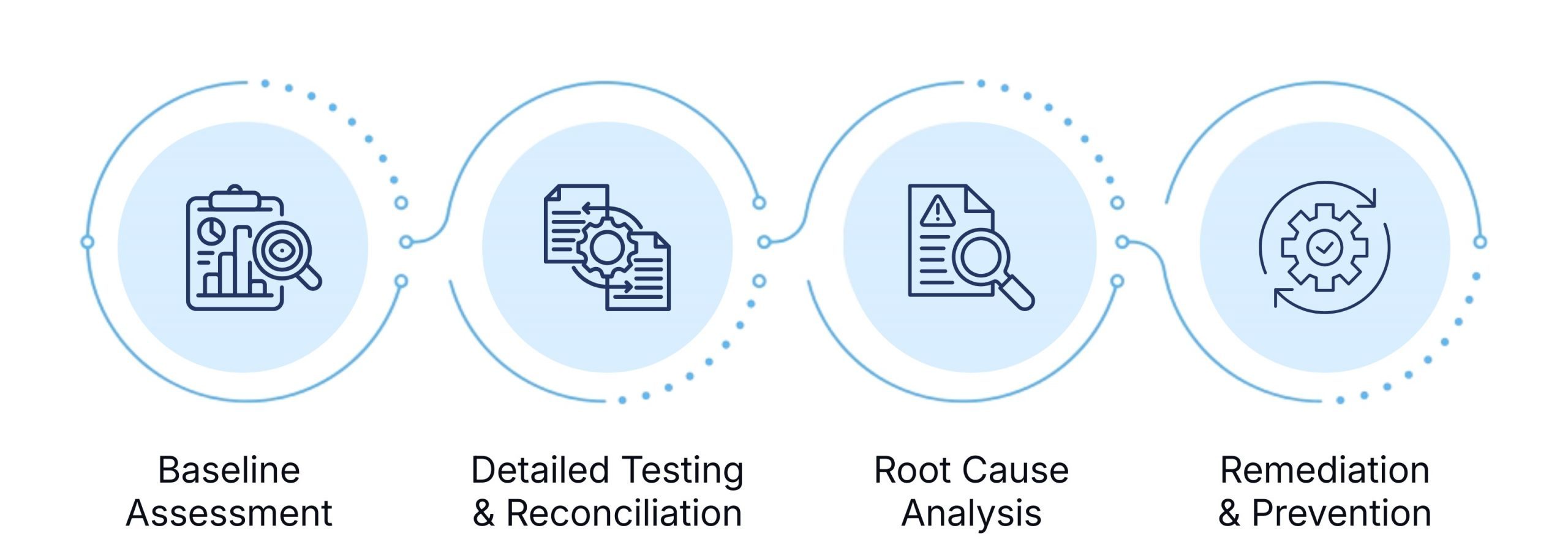
Phase 1: Baseline Assessment
- Understand the current state of financial data
- Identify which reconciliations are complete vs. incomplete
- Assess whether data validation is a formal process or ad hoc
Phase 2: Detailed Testing & Reconciliation
- Subledger-to-GL reconciliation for all major accounts
- Bank reconciliation review
- Period-end control testing
- Master data integrity assessment
- Transaction testing (sampling) to verify accuracy
Phase 3: Root Cause Analysis
- For any discrepancies found, determine the cause
- Identify whether it’s a configuration issue, a control weakness, or a data entry problem
- Assess whether it’s isolated or systemic
Phase 4: Remediation & Prevention
- Recommend data corrections
- Suggest control improvements to prevent recurrence
- Document a formal data validation process
- Training on proper transaction posting and reconciliation
Red Flags: Signs Your Financial Data May Have Issues
Watch for these warning signs in your Business Central environment:
❌ Subledger-to-GL reconciliation is “close enough”– Discrepancies of $500, $1,000, or more that are written off as “rounding”
❌ Bank reconciliation hasn’t been completed in several months – Or ever since go-live
❌ Month-end close takes longer than expected – Hours of manual reconciliation that shouldn’t be necessary
❌ Reconciling items that are months old– Outstanding checks from six months ago that haven’t been resolved
❌ Duplicate customer, vendor, or item records – The same entity set up multiple times
❌ Users can’t explain why a balance is what it is – No audit trail to transactions
❌ Auditor findings for reconciliation issues – Especially in consecutive year
❌ Disagreement between what the system shows and what people remember happening – A sign of data integrity issues
❌ Direct posting enabled on control accounts– Transactions recording outside of proper subledgers
❌ No formal month-end close process – Close procedures vary by person and period
The Business Impact of Proper Data Verification
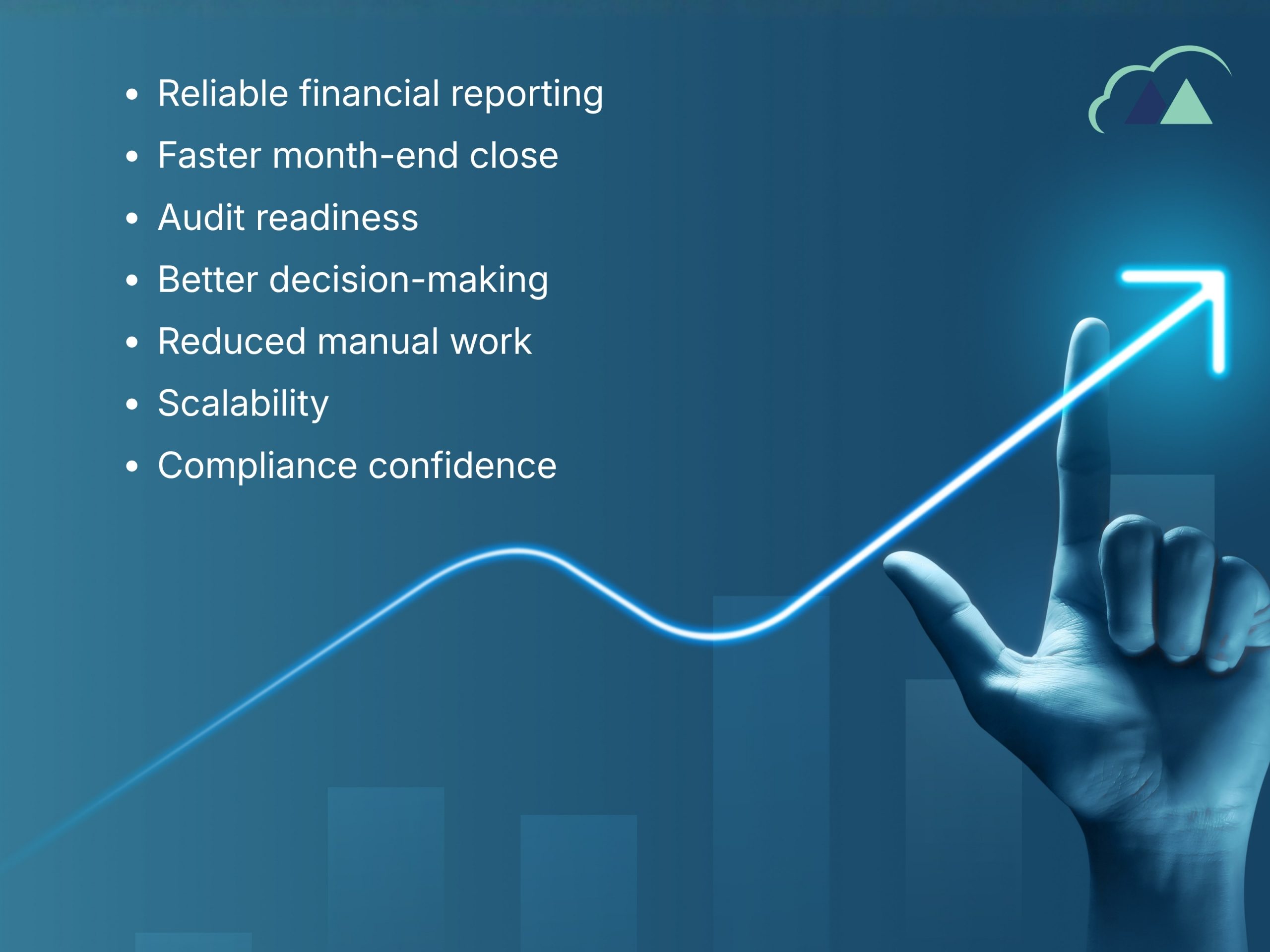
Organizations that implement rigorous data verification and validation processes typically achieve:
✓ Reliable financial reporting – Numbers you can stand behind with confidence
✓ Faster month-end close – Because you’re not discovering problems at the last minute
✓ Audit readiness – Reconciliations are complete and documented; auditors see minimal findings
✓ Better decision-making – Leaders trust the data they’re seeing
✓ Reduced manual work – Subledgers reconcile automatically if configured correctly; no need for manual fixes
✓ Scalability – Clean data is easier to work with as your business grows
✓ Compliance confidence – Tax, regulatory, and audit requirements are met without scrambling
The Cost of Ignoring Data Integrity
Conversely, ignoring data integrity has measurable costs:
- Audit adjustments and findings – Thousands in correction entries and auditor time
- Restatements – If material errors are discovered after close
- Lost credibility – Finance team loses internal trust; management questions reporting
- Delayed decision-making – Because no one wants to act on questionable numbers
- Wasted reconciliation time – Hours every month trying to figure out discrepancies
- Regulatory risk – Inaccurate reporting to tax authorities or other regulators
- System distrust – Users doubt the ERP is reliable, reducing adoption
Making Data Verification Routine, Not Crisis Management
The goal is to shift from crisis reconciliation (discovering problems at audit time) to preventive verification (catching issues before they accumulate).
This requires:
- Formal reconciliation procedures – Bank recs, subledger reconciliations on a set schedule
- Assigned accountability – Someone owns each reconciliation; it’s tracked and reviewed
- Documented controls – Period-end close procedures that are followed consistently
- Regular validation – Monthly or quarterly data quality checks to catch issues early
- Training – Users understand the importance of accurate posting and how to post correctly
Next Steps: Getting Your Financial Data House in Order
If your organization is uncertain about the integrity of your Business Central financial data or if you’ve discovered discrepancies that concern you consider a structured Finance Data Verification & Validation review.
This typically takes 1-2 weeks and focuses specifically on:
- Identifying gaps in reconciliation
- Testing the accuracy of major account balances
- Assessing your period-end close process
- Recommending control improvements
The cost of this review is typically far less than what you’re losing to manual reconciliation work and the risk of undetected errors.
In Business Central, your financial data is only as strong as your commitment to verifying and validating it.
Numbers that look right can be wrong. But with the right processes, you’ll know and you can act with confidence.
Have you discovered data integrity issues in your Business Central implementation? What surprised you most when you started digging into the numbers? Share your experience with us – you’re likely not alone.
Not sure if your Business Central data would survive an audit? Madhda’s Finance Data Verification & Validation review identifies reconciliation gaps, duplicate records, and control weaknesses in 1-2 weeks so you can fix issues before they cost you. Book a free data health check with Madhda today.