LinkedIn
  You-tube



You’ve invested months configuring Microsoft Dynamics 365 Business Central to reflect your business processes. The setup looks perfect on paper. But has it been truly tested by the people who will actually use it? That is the question that separates successful ERP go- lives from costly disasters.
The High Cost of Skipping Proper Testing
ERP implementations are transformational projects. When a company moves to Dynamics 365 Business Central, it is not just installing software; it is redesigning how finance, purchasing, inventory, sales, and operations all connect and flow together. Every customization, every configuration decision, every integrated third-party system represents a potential point of failure.
Research consistently shows that ERP projects that skip or rush through structured testing phases are significantly more likely to face post-go-live disruptions that cost far more to fix in production than they would have to catch during testing.
A bug discovered after go-live costs on average 10 to 30 times more to fix than the same bug caught during User Acceptance Testing. In financial systems like Business Central, the damage is compounded by incorrect postings, bad inventory valuations, and broken approval workflows that are difficult to reverse.
Testing of configured solutions is not a bureaucratic checkbox. It is the last line of defense between your carefully designed Business Central environment and the chaotic reality of live operations.
Why Business Central Configurations Demand Rigorous Testing
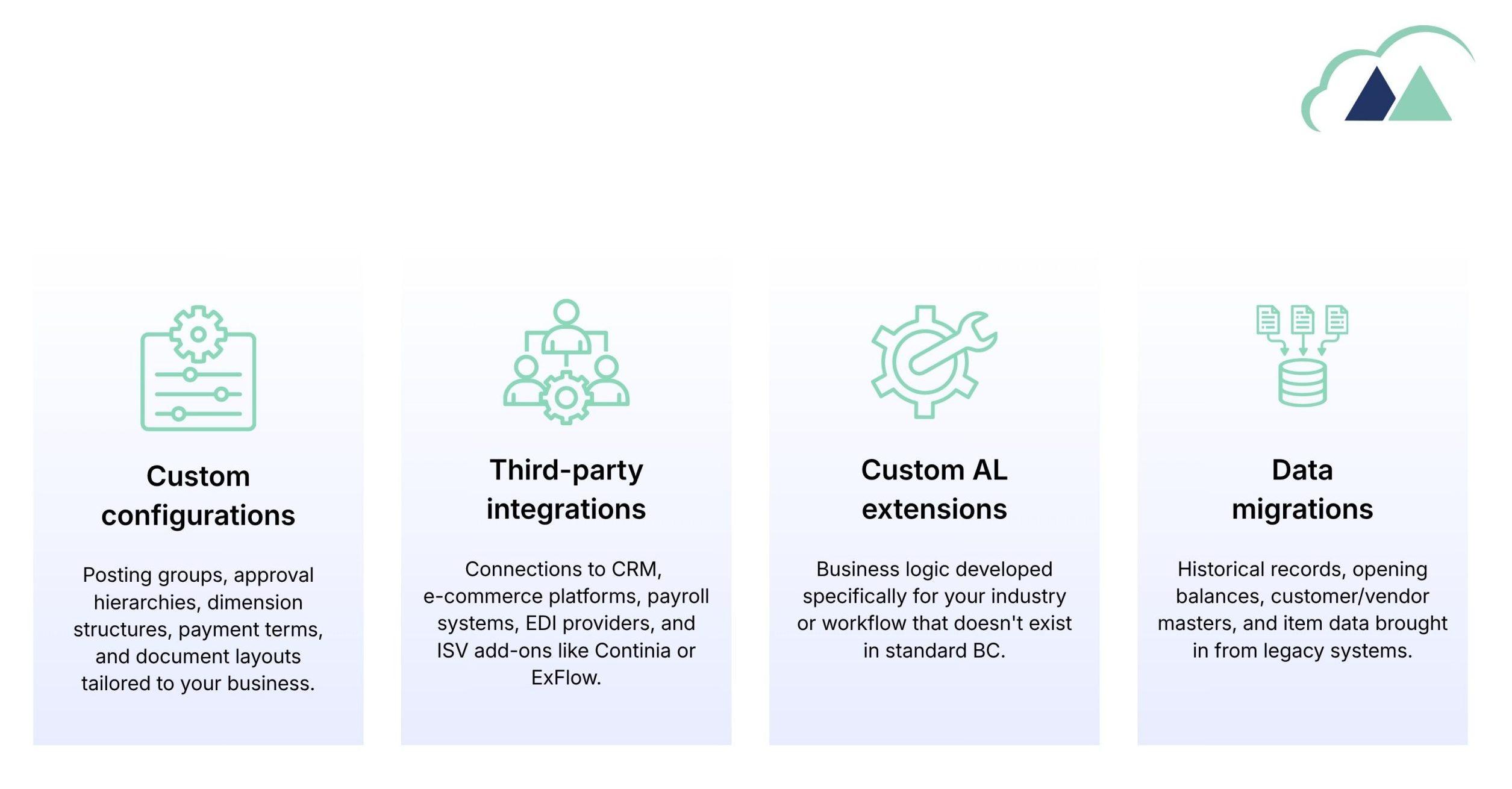
Business Central is a highly configurable ERP. Unlike off-the-shelf software, most implementations include a combination of:
UAT: The Heart of Every Business Central Implementation
All the testing phases in a Business Central project unit testing, integration testing, regression testing User Acceptance Testing (UAT) sit at the very center. It is the phase that answers the only question that truly matters at go live:
“Does this configured system actually support the way our business works from end to end?”
UAT is not performed by developers or consultants. It is performed by your key business users, the people who will live in this system every day. They run real business scenarios, in a real Business Central environment, with real (or representative) data. They test purchase orders, sales invoices, warehouse receipts, payment journals, approval workflows, and every other process that your business depends on.
Why UAT Is Often Done Poorly and What Goes Wrong
Despite its importance, UAT is frequently the phase that gets squeezed. Timelines slip during configuration; budgets get stretched, and suddenly the UAT window shrinks from six weeks to two. Business users are busy running the company. They are handed in a system and asked to “try it out” without structured test cases, without clear pass/fail criteria, and without a coordinated way to log and track defects.
Here are the most common scenarios that break in production because UAT was not thorough enough:
| Scenario | What Breaks | Risk |
|---|---|---|
| Purchase order approval above a threshold | Approval workflow not triggered; PO processed without authorisation | High |
| Posting a sales credit memo | G/L account mapped incorrectly; revenue reversed to wrong account | High |
| Item transfer between locations | Inventory valuation mismatch; stock shown as negative | High |
| Customer payment application | Outstanding invoices not closed; AR reporting inaccurate | Medium |
| Running VAT return | Entries from custom transactions excluded; filing error | High |
| Integration sync with CRM | Duplicate customer records; sales orders not created | Medium |
| Batch payment processing | Bank format incorrect; file rejected by banking portal | High |
| Period-end closing procedure | Open entries prevent closing; financial reports inaccurate | Medium |
What a Well-structured UAT Phase Looks Like in Business Central
A well run UAT phase is methodical, documented, and business driven. Here is what it should include:
1. Define the scope of testing
Every module in scope must be tested for Finance, Purchasing, Sales, Inventory, Warehouse, Manufacturing, Service, Payroll integration. No module should be assumed to be “simple enough to skip.”
2. Write scenario-based test cases, not feature checklists
Test cases should mirror real business events: “Process a purchase invoice for a noninventory service item, post it, and verify the G/L entries.” Not just “check that purchase invoices can be created.”
3. Cover happy paths and exception paths
Happy path testing confirms that standard processes work. But business life is full of exceptions to returns, credit notes, disputes, partial deliveries, backdated entries. All must be tested.
4. Assign real business users as testers
The finance manager should test the finance processes. The warehouse supervisor should test goods, receipts, and picks. Subject-matter expertise is what makes UAT valuable.
5. Use a structured defect log
Every failed test case must be logged with severity, steps to reproduce, expected result, and actual result. This log drives the fix and retest cycle before go-live approval.
6. Obtain formal sign off before go-live
UAT is complete only when all critical and high defects are resolved, and key business stakeholders formally sign off on each process area. This signoff is your green light.
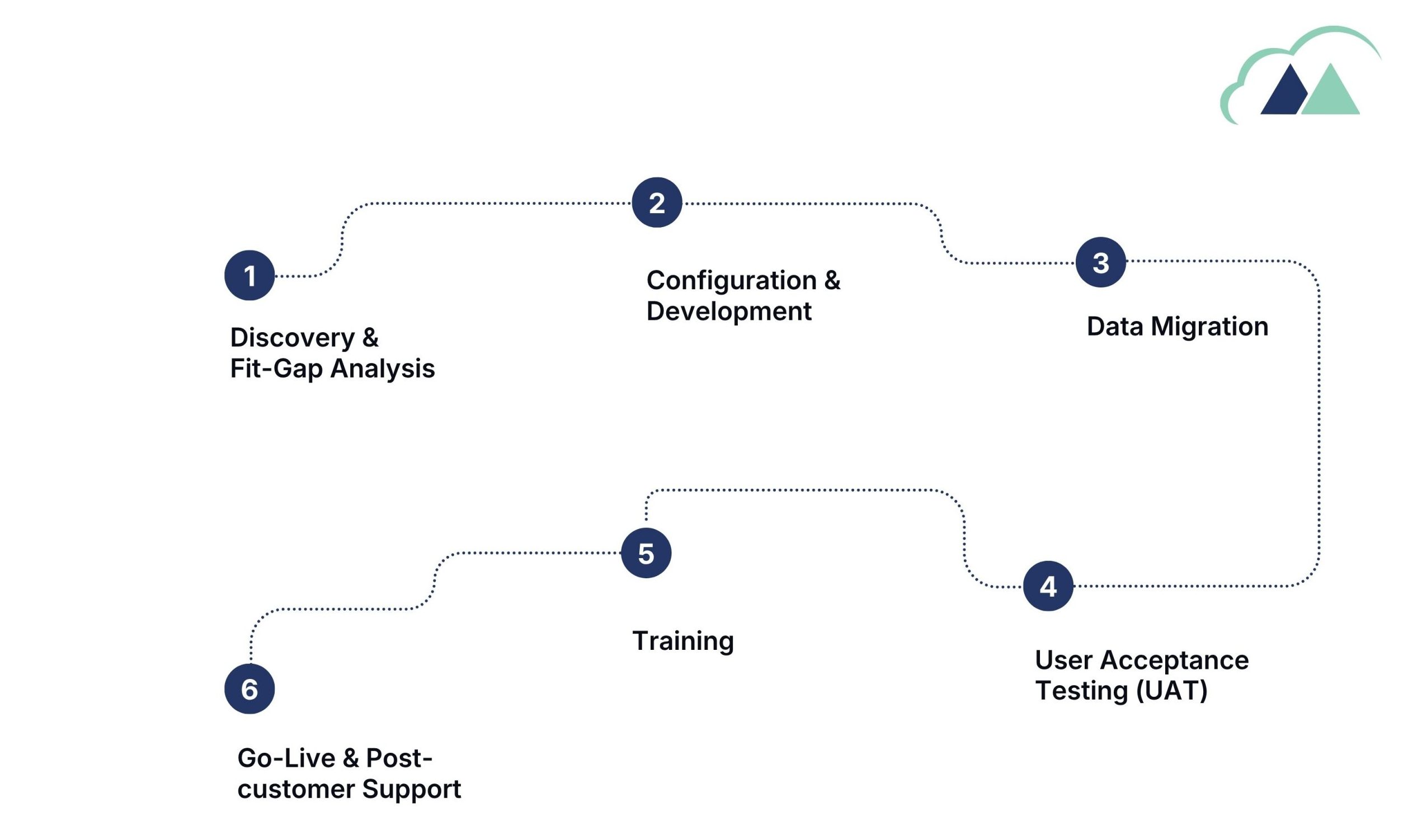
The Business Central Implementation Lifecycle UAT in Context
Understanding where UAT sits in the broader implementation journey helps teams plan for it properly and allocate the time it deserves.
What Must Be Tested in a Business Central UAT Phase?
Every Business Central implementation is unique, but there are core areas that must be covered in every UAT cycle:
- Full purchase-to-pay cycle: purchase requisition → PO → receipt → invoice → payment
- Full order-to-cash cycle: sales quote → sales order → shipment → invoice → payment receipt
- All approval workflows at every configured threshold and delegation rule
- Chart of accounts structure: posting groups, dimensions, and G/L account assignments
- VAT / tax setup: rates, reporting periods, and submission processes
- Bank reconciliation: import of bank statement, matching, and posting
- Inventory management: item creation, receipts, shipments, adjustments, transfers
- Fixed assets: acquisition, depreciation runs, disposals
- Period-end close: month-end checklist, closing entries, financial reporting
- All third-party integrations under realistic data loads
- Data migration validation: opening balances, customer/vendor/item masters
- Reporting: financial statements, aged receivables/payables, inventory valuation
- User access and security roles: each role sees only what they should
- Exception and error handling: what happens when things go wrong
How Madhda Builds Your UAT Test Cases
At Madhda Inc, we have seen the full spectrum of Business Central UAT outcomes from organizations that sailed through go live because their UAT was meticulously structured, to organizations’ that went live on hope alone and spent the first six months firefighting. The single biggest differentiator between those outcomes? The quality of the test cases used during UAT.
Building UAT test cases requires a rare combination of skills: deep knowledge of how Business Central works under the hood, a thorough understanding of your specific configuration and customizations, and the ability to translate your business processes into structured, executable test scenarios. Most internal teams simply don’t have the time or the Business Central expertise to build this themselves.
Madhda’s Proven Process for Building UAT Test Scenarios
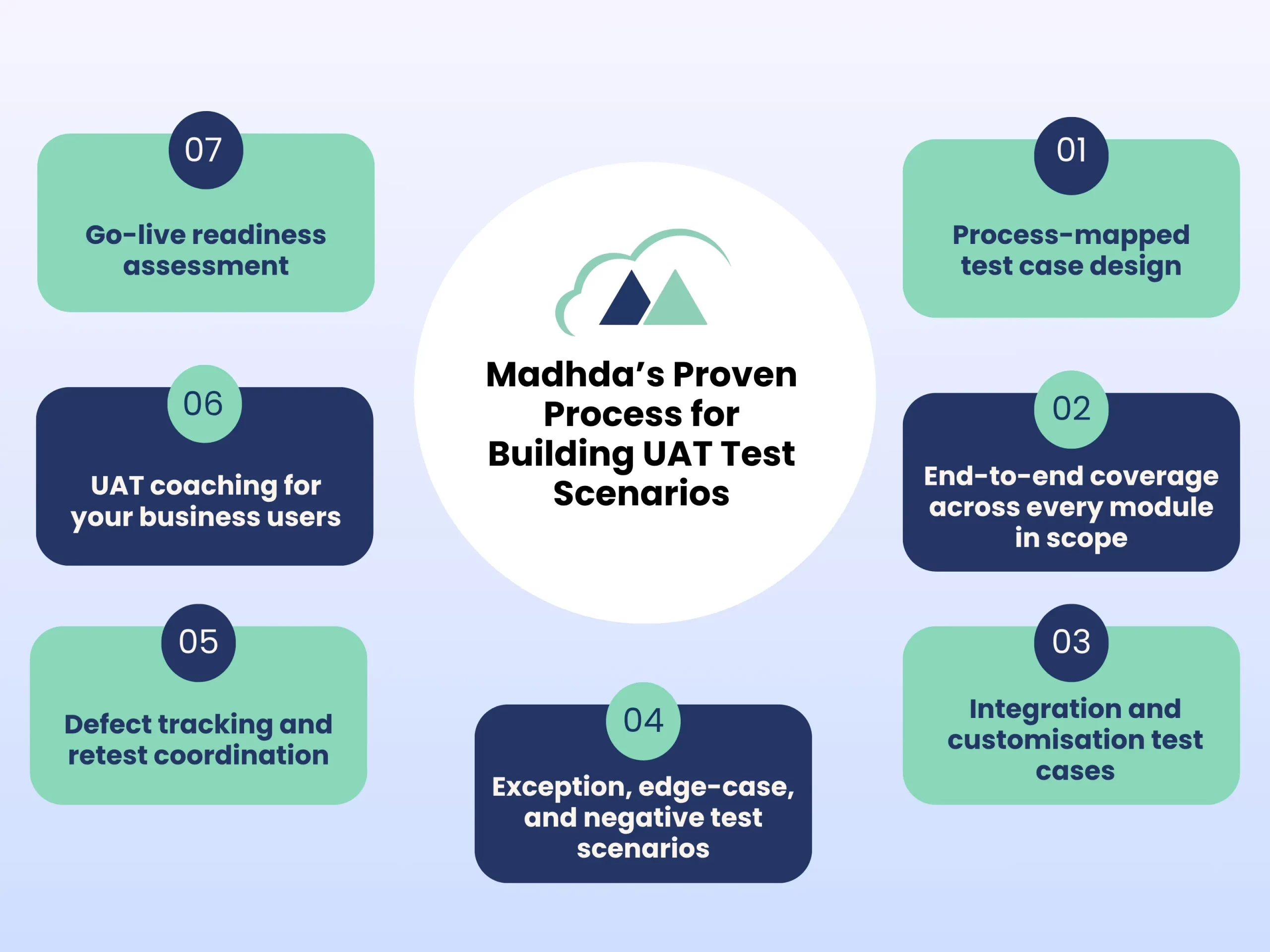
1. Process-mapped test case design
We map every configured business process in your Business Central environment and translate it into structured, scenario-based test cases complete with preconditions, test steps, expected results, and pass/fail criteria. Nothing is left to guess work.
2. End-to-End coverage across every module in scope
Whether your implementation covers Finance, Supply Chain, Warehouse, Manufacturing, Service, or any combination, our test cases cover the full end-to-end flow, not just isolated transactions. We ensure that data flows correctly from one process to the next.
3. Integration and customization test cases
Standard BC processes are only part of the picture. We design specific test cases for your custom AL extensions, ISV add-ons development (Continia, Ex Flow, Task let WMS, and others), and external integrations ensuring that the entire configured ecosystem is validated.
4. Exception, edge-case, and negative test scenarios
We go beyond the happy path. Our test cases deliberately challenge your configuration with edge cases, error conditions, and boundary scenarios in the situations that most internal testing misses, and that most commonly cause issues in production.
5. Defect tracking and retest coordination
We provide structured defect log templates and can support your team through the defect-and-retest cycle helping to triage issues by severity, coordinate fixes with the development team, and verify that each resolved defect passes retesting before go-live sign-off.
6. UAT coaching for your business users
We work alongside your team throughout the UAT explaining test cases, helping testers understand what to look for, and ensuring that business user feedback is captured in a way that is actionable for the implementation team. UAT becomes a learning experience, not just a gatekeeping exercise.
7. Go-live readiness assessment
Before you flip the switch, Madhda provides a go-live readiness review a final check that all critical test cases have passed, all high-severity defects are resolved, all data migration validations are complete, and your team is genuinely prepared for day one in production.
Don’t Let a Rushed UAT Phase Undermine Your Business Central Investment
Implementing Dynamics 365 Business Central is a significant investment in money, in time, and in the effort your team puts into redesigning and improving your business processes. The UAT phase is what protects that investment. It is the bridge between a solution that has been configured and a solution that has been validated.
Every hour spent in thorough UAT is an hour that saves multiple hours of post-go-live firefighting. Every test case that catches a defect before go-live is a transaction that doesn’t corrupt your financial data. Every business user who participates meaningfully in UAT is a power user who will champion the system after launch.
The organizations that go live on Business Central with confidence are the ones that invested in UAT properly with structured test cases, the right testers, and a partner who knows the platform inside and out.

If your Business Central UAT phase is approaching or if you are planning an implementation and want to get the testing strategy right from the start, Madhda is ready to help.
We’ll review your implementation scope, identify the critical scenarios that must be tested, and help you build a UAT plan that gives your team real confidence before go-live.