LinkedIn
  You-tube

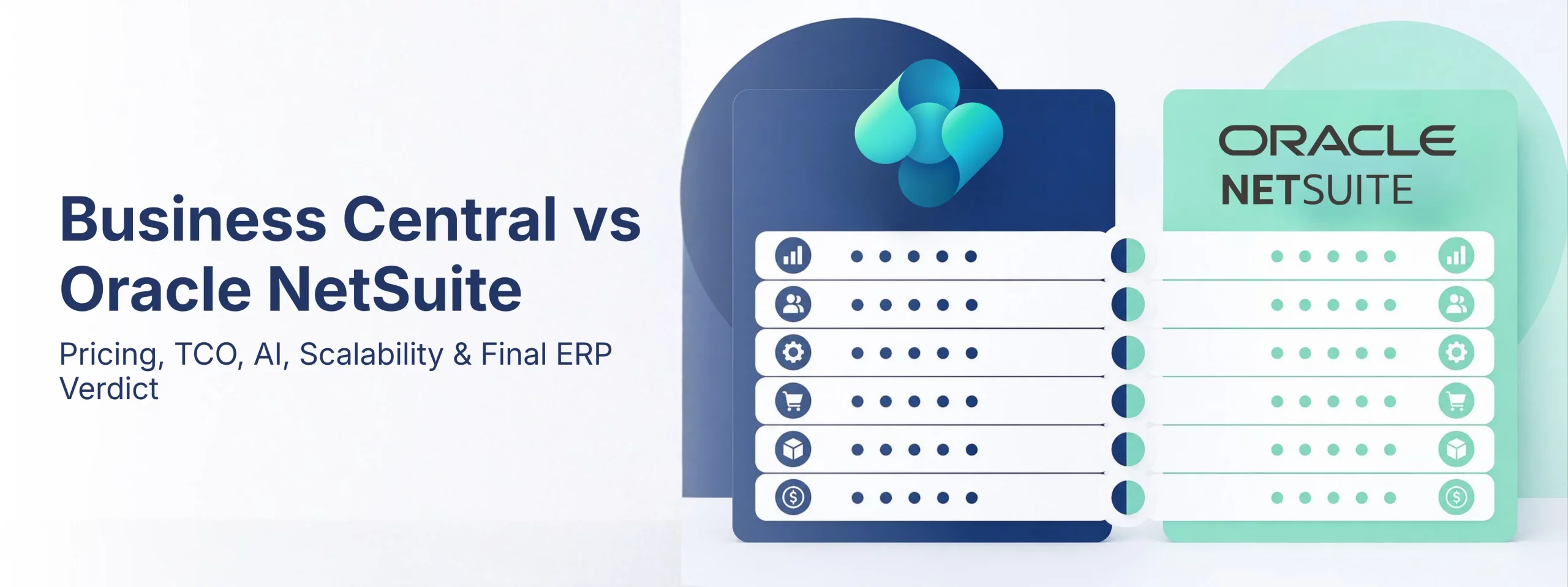

In Part 1, we compared Microsoft Dynamics 365 Business Central and Oracle NetSuite across functionality, implementation timelines, user experience, and pricing considerations.
In Part 2, we explore how both ERP platforms integrate with modern business ecosystems, their artificial intelligence capabilities, partner and support networks, industry fit, scalability, and the practical decision framework businesses can use when selecting an ERP platform.
What You’ll Learn in This Guide
This guide answers some of the most common questions businesses ask when evaluating ERP systems:
- Which ERP integrates better with Microsoft 365 and third-party applications?
- Does Business Central have stronger AI capabilities than NetSuite?
- Which industries are best suited for Business Central or NetSuite?
- How do support ecosystems and implementation partners compare?
- Which platform offers better long-term scalability and total cost of ownership?
Whether you’re a manufacturer, distributor, retailer, professional services firm, or growing multi-company organization, this comparison provides practical insights based on real-world implementation experiences.
Business Central vs NetSuite Integrations: Which ERP Fits Better into Your Existing Ecosystem?
A modern business runs on much more than its ERP system. Email, collaboration tools, business intelligence platforms, e-commerce applications, payroll systems, banking integrations, and workflow automation tools all play critical roles in daily operations.
The ERP platform that connects naturally with these systems delivers greater productivity, higher user adoption, and lower long-term integration costs.
For organizations already using Microsoft 365, Business Central provides one of the most seamless integration experiences available in the mid-market ERP landscape.
Quick Answer: Which ERP Integrates Better with Microsoft 365?
Microsoft Dynamics 365 Business Central offers native integration with Outlook, Teams, Excel, Power BI, and Power Automate because all products operate within the Microsoft ecosystem. NetSuite can integrate with these tools, but doing so often requires third-party connectors, middleware platforms, or custom API development.
For businesses already invested in Microsoft technologies, Business Central typically delivers a more unified user experience and lower maintenance overhead.
Business Central and Microsoft Teams, Outlook, Excel, and Power BI share the same data infrastructure. These are not traditional integrations – they are different experiences built on the same platform.
Your finance team can process invoices without leaving Outlook. Your sales team can check inventory directly inside Teams. Leadership teams can analyze live financial data within Excel or Power BI without switching systems.
NetSuite, by comparison, operates as an independent cloud platform. Integrating with Microsoft tools is entirely possible, but generally requires middleware, third-party SuiteApps, or custom development. While effective, these additional layers increase complexity, cost, and ongoing maintenance requirements.
| Integration | Business Central | Oracle NetSuite |
|---|---|---|
| Microsoft Teams | Native integration with approval workflows, customer data, and purchasing processes directly inside Teams. | Requires third-party SuiteApps or middleware solutions. |
| Microsoft Outlook | Customer balances, payment history, sales orders, and ERP actions accessible directly from Outlook. | Separate browser-based workflows required. |
| Microsoft Excel | Live bi-directional data synchronization with no import/export cycles. | Primarily export-and-import workflows. |
| Power BI | Native dashboards and embedded reporting included. | Requires API configuration or SuiteAnalytics. |
| Power Automate | 900+ connectors for no-code business process automation. | External integrations often require middleware platforms. |
| Shopify E-Commerce | Native connector included with Business Central. | Third-party applications and licensing typically required. |
| AI Document Intelligence | Native Azure-powered invoice recognition and processing. | Third-party solutions generally required. |
Business Central vs NetSuite AI Capabilities: Which Platform Has the Stronger Future Roadmap?
Choosing an ERP system is a long-term commitment. Most organizations expect their ERP investments to support business operations for five to ten years or more.
That makes the technology roadmap and pace of innovation just as important as current functionality.
Artificial intelligence is rapidly becoming one of the biggest differentiators in modern ERP platforms, and Microsoft’s ecosystem provides Business Central with significant long-term advantages.
Quick Answer: Does Business Central Have Better AI Capabilities Than NetSuite?
Business Central benefits directly from Microsoft’s investments in Azure AI, OpenAI, Copilot, Power Platform AI Builder, and Microsoft 365 Copilot.
Organizations using Business Central can leverage innovations across the broader Microsoft ecosystem without implementing entirely separate technologies.
NetSuite continues to introduce AI features, but Microsoft’s scale of investment and platform-wide integration create a substantial long-term advantage for Business Central customers.
Microsoft’s AI strategy extends far beyond individual products. Business Central runs on Azure, which means innovations across Microsoft’s ecosystem become accessible to ERP users as capabilities evolve.
This includes:
- Microsoft Copilot
- Azure OpenAI Services
- Power Platform AI Builder
- Microsoft 365 Copilot
- GitHub Copilot
- Azure Cognitive Services
As these technologies mature, Business Central customers benefit from platform-wide advancements rather than isolated feature releases.
Business Central Copilot: Real-World Applications Available Today
Business Central already offers practical AI capabilities that improve daily business processes:
1. Product Content Generation
Copilot can generate product descriptions and catalog content automatically from item attributes, reducing manual effort for sales and marketing teams.
2. Intelligent Payment Predictions
AI helps identify customers likely to pay invoices late, enabling proactive collections management and cash flow improvements.
3. Automated Bank Reconciliation
Machine learning suggests bank matches and simplifies reconciliation processes, reducing administrative overhead.
4. Inventory Optimization
Demand forecasting and reorder recommendations help organizations maintain healthier inventory levels while minimizing stock shortages.
5. Natural Language Business Insights
Users can ask questions such as:
“Which product category generated the highest profit margin this year?”
without building custom reports or relying on technical users.
Why Business Central’s AI Roadmap Matters
Selecting Business Central is not simply choosing an ERP system.
It is positioning your organization within one of the world’s most heavily invested AI ecosystems.
As Microsoft continues expanding Copilot and Azure OpenAI capabilities, Business Central customers gain access to innovations that extend beyond ERP functionality into productivity, analytics, automation, and decision support.
For businesses evaluating ERP systems with a five-to-ten-year horizon, this technology trajectory represents a significant strategic advantage.
Business Central vs NetSuite Support & Partner Ecosystems
An ERP implementation does not end at go-live.
Businesses continuously evolve their processes, adopt new technologies, train new employees, and expand operations. The strength of a platform’s support ecosystem and implementation partner network becomes increasingly important over time.
The availability of qualified consultants, training resources, community knowledge, and upgrade support directly impacts long-term ERP success.
Business Central: A Global Ecosystem Built for Growth
Microsoft’s partner ecosystem is among the largest enterprise technology communities in the world. Organizations implementing Business Central benefit from:
- Extensive Partner Availability: More than 6,000 Microsoft partners globally provide implementation, support, consulting, and managed services across virtually every major market. This creates healthy competition, improved service quality, and greater flexibility for customers.
- Enterprise-Grade Cloud Infrastructure: Business Central runs on Microsoft Azure, providing, 99.9% uptime commitments, Global redundancy, Enterprise security standards, Continuous platform improvements & Automatic infrastructure maintenance.
- Free Learning Resources: Microsoft Learn offers extensive, role-based training content available at no additional cost.Finance users, warehouse teams, executives, and administrators can access learning materials whenever required, reducing formal training expenses.
- Strong Community Support: Business Central users benefit from one of the largest ERP communities in the world, including:Microsoft forums, LinkedIn groups, Stack Overflow discussions, YouTube learning channels & Community blogs and documentation. Many common business questions already have documented solutions, accelerating issue resolution.
- Automatic Platform Updates: Business Central receives two major updates each year, delivered through Microsoft’s cloud infrastructure without requiring large-scale upgrade projects.Organizations remain current with new capabilities while minimizing disruption and technical debt.
NetSuite: Considerations for Long-Term Support
NetSuite offers a capable partner ecosystem, particularly within North America and SaaS-focused industries.
However, businesses should consider several practical factors:
- Smaller Global Partner Availability: Compared to Microsoft’s ecosystem, NetSuite provides fewer implementation partners, which can affect consulting costs and service flexibility in some regions.
- Premium Support Models: Oracle support options vary by service tier, and organizations frequentlypurchase premium packages for faster response times and escalation pathways.
- Specialized Development Skills: SuiteScript developers remainrelatively specialized resources, often commanding higher consulting rates than more broadly available Microsoft technologies.
- Release Management Requirements: Organizations with extensive SuiteScript customizations may need additional testing and validation efforts after platform updates to ensure business processes continue operating as expected.
- Training Accessibility: While quality training resources exist, many organizations rely on paid third-party courses and consulting engagements rather than freely accessible learning ecosystems.
Quick Answer: Which ERP Has Better Long-Term Support?
For most growing businesses, Business Central offers advantages through:
- Larger partner networks
- Greater consultant availability
- Free learning resources
- Automatic updates
- Extensive community knowledge
- Deep Microsoft ecosystem support
Organizations already invested in Microsoft technologies often benefit from lower long-term support costs and broader access to expertise compared with alternative ERP platforms.
Which Industries Are Best Suited for Business Central and NetSuite?
Both Dynamics 365 Business Central and Oracle NetSuite serve a wide range of industries, but their strengths vary depending on operational complexity, manufacturing requirements, regulatory needs, and business models.
The best ERP choice is not necessarily the one with the longest feature list – it’s the one that aligns most naturally with how your business operates today and how you expect it to grow tomorrow.
Quick Answer: Which Industries Are Best for Business Central?
Business Central is particularly well-suited for:
- Manufacturing companies
- Distribution and wholesale businesses
- Retail and e-commerce organizations
- Professional services firms
- Construction and engineering companies
- Multi-company organizations
- Nonprofits and associations
NetSuite maintains strong advantages in specific niches, particularly US-based SaaS companies with complex subscription revenue recognition requirements.
| Industry | Business Central | Oracle NetSuite |
|---|---|---|
| Manufacturing | Outstanding (5/5). Native BOM, MRP, production orders, capacity planning, and shop floor reporting included within Premium licensing. | Good (3/5). Additional modules required for advanced manufacturing scenarios. |
| Distribution & Wholesale | Excellent (5/5). Multi-location warehousing, FEFO, lot tracking, purchasing automation, and inventory management built in. | Good (3/5). Functional but often requires additional SuiteWMS investments. |
| Retail & E-Commerce | Strong (4/5). Native Shopify integration and extensive AppSource ecosystem. | Strong (4/5). SuiteCommerce remains a respected solution for B2B commerce. |
| Professional Services | Excellent (5/5). Jobs, project accounting, milestone billing, WIP, and profitability reporting included. | Good (4/5). PSA functionality is strong but often more complex to configure. |
| SaaS & Technology | Good (3/5). Strong operational capabilities with extensions available for advanced revenue recognition. | Excellent (4/5). One of NetSuite’s strongest historical markets. |
| Non-Profit | Strong (4/5). Microsoft nonprofit programs and industry-specific accelerators available. | Good (3/5). Fewer dedicated nonprofit solutions. |
For manufacturers, distributors, construction firms, and businesses already operating within Microsoft 365, Business Central often represents the more natural long-term fit.
Can Business Central Scale as Your Business Grows?
One of the most important questions when selecting an ERP platform is whether it can support future growth without dramatically increasing costs or implementation complexity.
An ERP system should scale with your business – not punish you for expanding.
Quick Answer: Is Business Central Scalable?
Yes.
Business Central is designed to support growth through:
- Additional users
- Multiple legal entities
- International operations
- Manufacturing capabilities
- Warehouse management
- Industry-specific applications
- AI-driven automation
Scaling generally involves activating existing platform capabilities rather than purchasing entirely new systems or modules.
Business Central: Predictable Growth Economics
Business Central’s licensing model remains transparent as organizations expand. Adding users means paying the same published rates. Adding a new subsidiary or legal entity does not trigger separate platform fees.
Expanding internationally often means enabling localization packs rather than undertaking major implementation projects. Moving from distribution into manufacturing simply requires upgrading users from Essentials to Premium licensing, unlocking capabilities already built into the platform.
This predictability allows businesses to forecast ERP costs with greater confidence over three-to-five-year planning horizons.
NetSuite: Growth Often Introduces Additional Costs
NetSuite certainly supports growing organizations, but scaling frequently introduces additional licensing considerations.
Examples include:
- Multi-Entity Operations: Adding additional legal entities typically requires OneWorld licensing, creating new annual costs.
- International Expansion: Country-specific requirements may involve additional implementation efforts and localization investments.
- New Functional Requirements: Expanding into manufacturing, warehousing, or advanced reporting often requires purchasing and implementing additional modules.
These factors can increase total cost of ownership as businesses grow through acquisitions, geographic expansion, or operational diversification.
Business Central vs NetSuite Pricing: Understanding the Real Cost of Ownership
Pricing transparency matters when evaluating an ERP platform.
Microsoft publishes Business Central licensing openly, allowing organizations to forecast costs with confidence. NetSuite pricing, on the other hand, is typically quote-based and varies depending on modules, negotiations, implementation scope, and annual contract terms.
For growing businesses, understanding the total cost of ownership—not just the initial subscription fee – is essential.
Quick Answer: Is Business Central Cheaper Than NetSuite?
For most small and mid-sized businesses, Microsoft Dynamics 365 Business Central is significantly more affordable than Oracle NetSuite.
Business Central includes manufacturing, warehouse management, multi-company operations, Power BI integration, and AI capabilities within standard licensing plans, whereas NetSuite often requires additional modules and annual platform fees.
The result is a lower and more predictable total cost of ownership over three to five years.
Microsoft Dynamics 365 Business Central Pricing (Published and Transparent)
| Licence Type | What’s Included | Cost Per User / Month |
|---|---|---|
| Essentials | Finance, Sales, Purchasing, Inventory, Supply Chain, Project Management, multi-entity, advanced WMS, Power BI | $70 |
| Premium | Everything in Essentials plus full Manufacturing (BOM, MRP, capacity, subcontracting) and Service Management | $100 |
| Team Members | Approvals, timesheet entry, read-only data access for light users | $8 |
| Device Licence | Per shared device warehouse terminals, factory floor workstations | $40 / device |
One of Business Central’s biggest advantages is pricing predictability. The same published pricing applies across customers, allowing businesses to scale without frequent licensing renegotiations.
Oracle NetSuite Pricing: Understanding the Layered Cost Structure
Unlike Business Central, Oracle NetSuite does not publicly publish standard pricing.
Actual costs depend on:
- Contract negotiations
- Required modules
- Number of users
- Multi-company requirements
- Industry-specific functionality
Based on widely reported market estimates, organizations typically encounter the following cost structure:
| Cost Component | Oracle NetSuite (Estimated) | Business Central Equivalent |
|---|---|---|
| Mandatory Platform Fee | $1,188–$2,388/year fixed annual charge before any user logs in, every year. | No platform fee. Zero. |
| Per-User Licence | $99–$149/user/month estimated from market data. Actual cost depends on your negotiation skill. | $70–$100/user/month published openly, same price for every customer. |
| Advanced Inventory | $2,000–$5,000/year extra for bin management, lot and serial tracking, FEFO picking. | Fully included in $70 Essentials. No add-on required. |
| OneWorld (Multi-entity) | $1,200–$3,000+/year required the moment you have more than one legal entity. | Multi-company built into base licence. Ten entities or one same per-user cost. |
| Manufacturing Module | $2,000–$4,000/year for BOM, MRP, production orders, and capacity planning. | Included in Premium at $100/user. No separate charge. |
| Warehouse Management | $1,500–$3,500/year for directed picking, bin management, and mobile warehouse operations. | Full WMS included in Essentials. No additional charge. |
After evaluating functionality, pricing, integrations, AI capabilities, support ecosystems, industry fit, and scalability, a clear pattern emerges. Business Central represents the strongest choice for most growing businesses.
However, there are specific situations where NetSuite remains the better option.
Choose Microsoft Dynamics 365 Business Central if…
- You Have 10–500 Employees and Are Growing: Organizations adding users, expanding internationally, or acquiring additional companies benefit from Business Central’s predictable licensing model and scalable architecture.
- You Operate in Manufacturing, Distribution, Construction, Retail, or Professional Services. These industries align closely with Business Central’s strongest native capabilities.
- You Depend on Microsoft 365: Businesses already using: Outlook, Teams, Excel, SharePoint, Power BI, Power Platform – typically experience higher productivity and adoption through Business Central’s native integrations.
- You Want Faster Implementations: Business Central implementations are commonly completed in weeks or a few months rather than extended, multi-phase deployment projects.
- You Want Built-In Manufacturing and Warehouse Capabilities: Advanced warehouse management, multi-company functionality, Power BI reporting, and manufacturing features are available without purchasing separate modules.
- You Want Long-Term AI Innovation: Business Central customers benefit directly from Microsoft’s investments in Copilot, Azure OpenAI, and enterprise AI technologies.
Consider Oracle NetSuite only if these narrow scenarios genuinely apply…
- You Are a US-Based SaaS Company: Organizations with complex ASC 606 subscription accounting and revenue recognition requirements may benefit from NetSuite’s specialized capabilities.
- Customer Self-Service Portals Are Mission Critical: SuiteCommerce remains a respected option for organizations where B2B customer portals drive daily operations.
- You Already Have Extensive NetSuite Customizations: Migration costs may outweigh potential savings if your organization has years of heavily customized business processes.
- Enterprise Governance Requires Oracle Technologies: Some organizations operate under corporate mandates that influence technology selection regardless of alternative considerations.
Warning Signs During a NetSuite Evaluation
Ask additional questions if:
- Multiple add-on modules appear in your proposal
- Platform fees are not clearly explained
- Three-year ownership costs are not modeled
- Your organization relies heavily on Microsoft Teams and Outlook
- Implementation timelines exceed your business requirements
Making ERP decisions based on future business needs rather than current requirements generally leads to stronger long-term outcomes.
Final Verdict: Business Central vs NetSuite
After evaluating pricing, implementation timelines, integrations, AI capabilities, scalability, support ecosystems, industry alignment, and long-term ownership costs, Dynamics 365 Business Central emerges as the stronger choice for the majority of growing small and mid-sized businesses.
This advantage extends across multiple dimensions not simply one or two isolated areas.
Why Business Central Is Our Recommended Choice
Lower Total Cost of Ownership: Transparent pricing and built-in functionality help organizations avoid the layered licensing structures often associated with alternative ERP platforms.
Faster Time to Value: Shorter implementations mean businesses realize operational improvements sooner and reduce the hidden costs of prolonged projects.
Better Microsoft 365 Integration: Native experiences across Teams, Outlook, Excel, Power BI, and Power Platform improve adoption and productivity.
Stronger Long-Term AI Potential: Microsoft’s investments in Copilot, Azure OpenAI, and enterprise AI position Business Central customers for continuous innovation over the coming decade.
Built-In Manufacturing, WMS, and Multi-Company Operations:
Capabilities that frequently require additional investments elsewhere are already available within Business Central’s licensing model.
Where NetSuite Continues to Excel
NetSuite remains a strong platform for:
- US-based SaaS organizations
- Complex subscription billing models
- Advanced ASC 606 requirements
- Businesses deeply invested in existing NetSuite ecosystems

| Microsoft Dynamics 365 Business Central | Oracle NetSuite |
|---|---|
| OUR RECOMMENDATION | BEST FOR SPECIFIC NICHE REQUIREMENTS |
✓ Transparent Pricing ✓ Faster Implementations ✓ Native Microsoft 365 Integration ✓ Lower Total Cost of Ownership ✓ Strong AI Roadmap ✓ Manufacturing, WMS, and Multi-Company Features. ✓ Extensive Global Partner Ecosystem | ✓ Strong SaaS Revenue Recognition ✓ Established Subscription Billing Processes ✓ Robust B2B Portal Capabilities BUT GENERALLY: ✗ Higher Total Cost of Ownership ✗ Longer Implementation Timelines ✗ Greater Dependence on Add-On Modules ✗ Less Native Microsoft Integration |
Book Your Free Discovery Session.
Explore how Business Central can support your growth, improve operational efficiency, and reduce long-term ERP costs.