Talk to Expert

Microsoft Power Automate

Microsoft Power Automate

Turn repetitive tasks into automated, intelligent workflows that save time, reduce errors, and boost efficiency across your entire organization.

MIcrosoft-Power-Automate-1536x876
PowerAutomate_scalable

+

Projects Completed

+

BPO clients

+

Certified Experts

locations

Automate and optimize business processes

Discover

Optimize processes and uncover business automation opportunities with task and process mining.

Automate

Automate across nearly unlimited systems, desktop apps, and websites with AI-powered, digital, and robotic process automation.

Orchestrate

Confidently scale automation across your organization with built-in security, governance, and 360-degree monitoring.

Extend

Accelerate digital transformation with automation-infused apps, websites, and agents in Microsoft Power Platform.

AI authoring

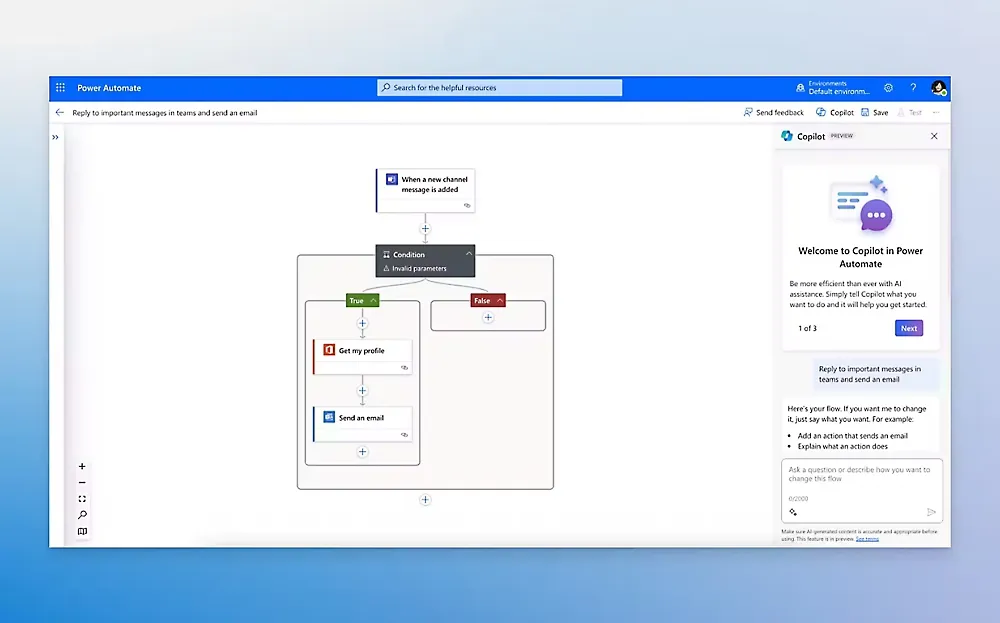
Create, edit, and extend process automation faster using natural language with Copilot in Microsoft Power Automate.

AI insights

Uncover optimization and automation opportunities faster with AI recommendations.

AI processing

Apply leading built-in AI models to intelligently automate document and image processing, prediction, and analysis.

AI generation

Turn your raw data into engaging content responsibly with built-in GPT support.

Desktop automation

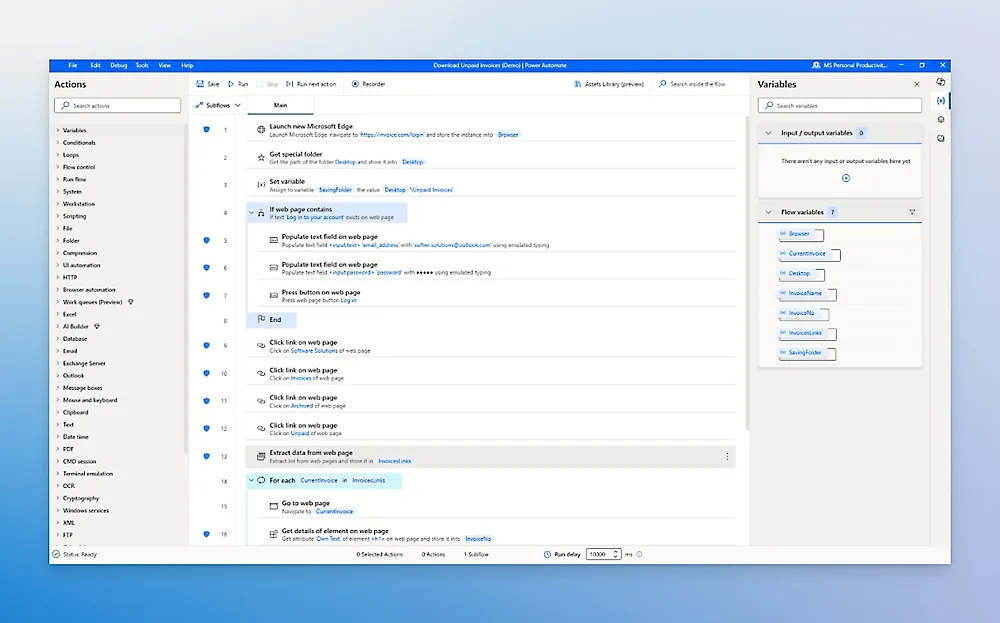
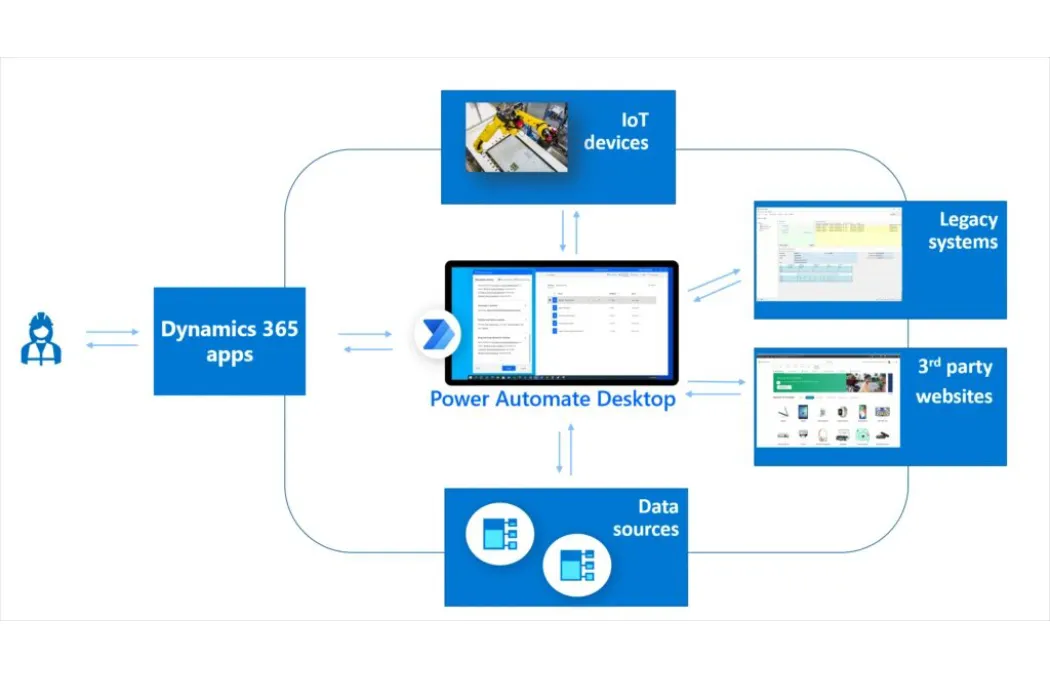
Use robotic process automation (RPA) to automate legacy systems with prebuilt or custom user-interface actions.

Bot deployment with AI

Use Copilot in Power Automate for desktop to accelerate development.

Attended and unattended RPA

Run automation with human interaction or autonomously in the background.

Hosted RPA

Manage peaks and optimize resources with hosted infrastructure that automatically scales and dynamically balances loads.

Automation in the cloud

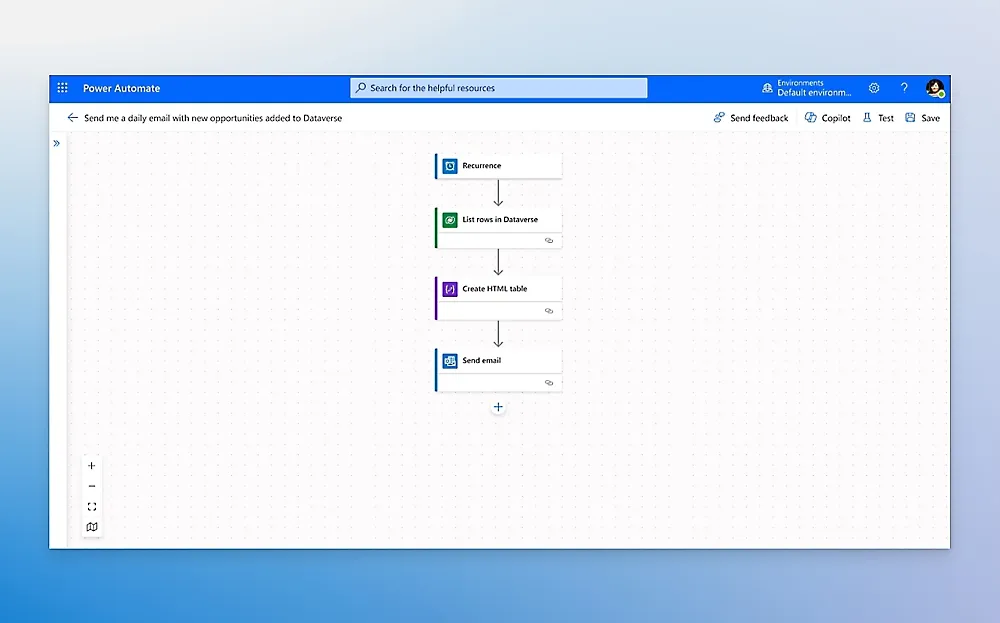
Use digital process automation (DPA) to automate apps, data, and services running in the cloud or on-premises.

Customized building

Start from scratch, use a prebuilt template, or engage the agent to automate tasks and processes.

API connectors

Choose from more than 1,000 API connectors or create your own custom API connector.

Better together

Native experiences in Microsoft 365, such as Microsoft Teams, Excel, and SharePoint, help you do more in your favorite apps.

Transparency into work

Define and measure the business challenges of the process you want to analyze or improve.

Prebuilt templates

Choose from several built-in templates for rapid deployment, from data ingestion to predefined custom reports.

Opportunity identification

Uncover ways to optimize business processes and automation with data-driven prioritization and AI guidance.

Reporting

Deliver return on investment (ROI) by acting on insights and establish continuous process monitoring and improvement.

Confident deployment

Stay in control with 360-degree live monitoring, centralized governance, elastic scaling, and other features.

Reliable automation

Take advantage of superior exception handling, work queues, and management experiences powered by Copilot in Power Automate.

Admin at scale

Use managed environments, data loss prevention, and other features to help keep your data secure.

Overview

Microsoft Power Automate is a cloud-based automation platform that helps organizations streamline their workflows, eliminate manual tasks, and connect systems effortlessly. With low-code automation, AI-powered decision making, and more than 1,000 connectors — it empowers teams to work smarter and faster.
Power Automate
Automates repetitive tasks and routine workflows
Connects apps, data, and systems seamlessly Ipsum is simply
Enables process automation with AI, RPA, and triggers
Helps teams reduce manual work, delays, and inconsistencies
Reduce manual workloads and operational costs
Improve accuracy and eliminate human errors
Speed up cross-department workflows
Integrate data from multiple systems effortlessly
Increase productivity with automated approvals and notifications
Build secure workflows without heavy coding
Boost efficiency with AI Builder and robotic process automation

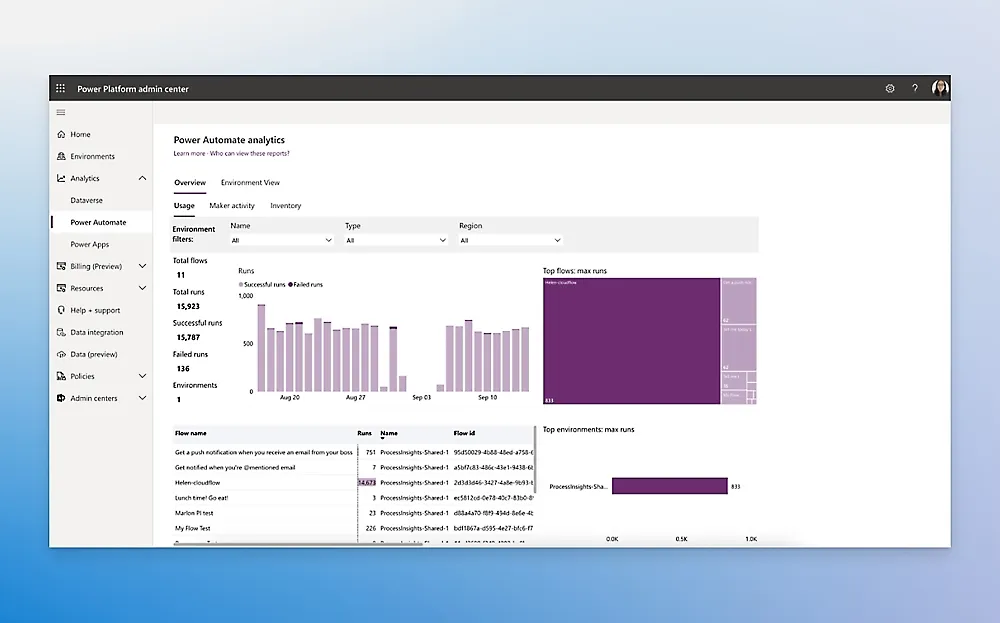
Enhance visibility with real-time flow monitoring

Microsoft Power Automate
Key Features

feature_icon_g

Cloud Flows

Automate workflows across apps and services using triggers, conditions, and actions.

feature_icon_2-gra

Desktop Flows (RPA)

Extract insights, classify data, and automate decisions using built-in AI models.

feature_icon_3-gra

AI Builder

Extract insights, classify data, and automate decisions using built-in AI models.

feature_icon_4-gra

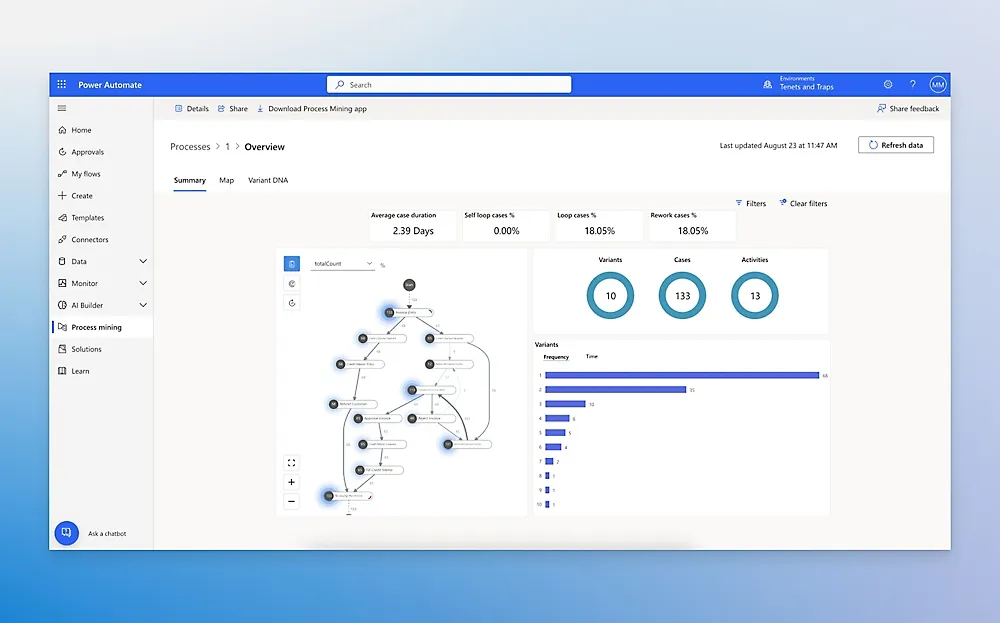
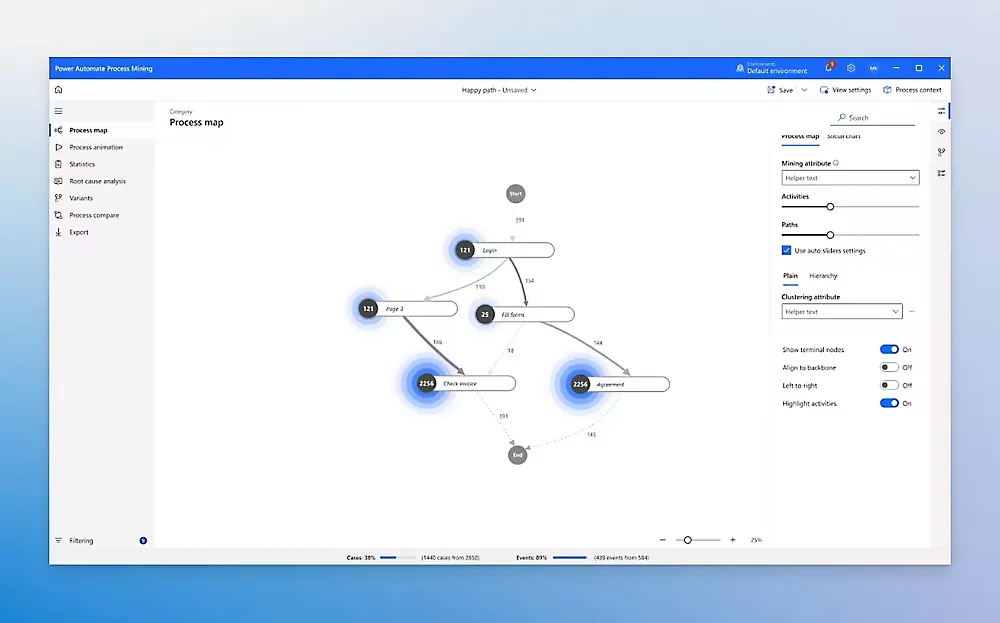
Process Mining

Discover inefficiencies, map processes, and optimize workflows with powerful analytics.

feature_icon_5-gra

Prebuilt Connectors

Integrate instantly with Microsoft, third-party, and custom applications.

feature_icon_5-gra

Approval Workflows

Create automated multi-step approvals for HR, sales, finance, and operations.

feature_icon_4-gra

Error Handling & Monitoring

Track flow health, troubleshoot failures, and ensure reliability.

feature_icon_g

Secure & Scalable Platform

Enterprise-grade governance, compliance, and data protection.

Types of Flow to Suit all Needs

  • Cloud Automation
  • Robotic Process Automation (RPA)
  • AI Builder & Cognitive Automation
  • Process Advisor / Process Mining
  • Business Process Flows
  • Power Platform Connectors
  • Custom Connector Development
  • Workflow Governance & Administration
  • Integration with Microsoft 365, Dynamics 365 & Azure
  • On-Premises Gateway Connection
Dynamics 365 Sales

Ready to Automate Your Business?

Let our experts help you modernize and streamline your processes with Power Automate.
Talk to Our Automation Specialists Today

Talk to Our Automation Specialists Today

Packages

Power Automate Custom Price

Contact us to get a quote.

Get a customized quote.

Why Choose MADHDA

microsoft-icon

Microsoft Certified Partner

As a Certified Microsoft Partner, we guarantee the delivery of tailored business solutions and cutting-edge embedded strategies.

users-team

Proficient Team

Our team consists of highly skilled professionals who are certified by Microsoft implementing Dynamics 365 solutions.

dedicated-support

Dedicated Support

We’ve developed a dedicated support model designed to ensure our clients maintain seamless continuity throughout their processes.

competitive-pricing

Competitive Pricing

Our tailored and top-tier implementations are available at a 40% discounted rate compared to alternative Microsoft implementation partners.

custom-configured

Custom Configured

Based on your existing workflow and in line with your business objectives enhancing the effectiveness of your revenue-generating initiatives.

flexible-delivery

Flexible Delivery

We prioritize your project and recognize your time constraints, ensuring timely delivery in accordance with committed deadlines.

Start Automating Today

Transform your operations with intelligent workflows built for scale.
Book a Free Consultation

Book a Free Consultation

Frequently Asked Questions

What can Power Automate be used for?

From approvals, notifications, and data sync to document automation, RPA bots, and AI-driven workflows — Power Automate supports almost any business process.

No. Most workflows are built using low-code tools, plus visual designers and prebuilt connectors.

Yes. Using Power Automate Desktop (RPA), you can automate tasks in legacy or non-API systems.

Absolutely. It offers native, deep integration with the entire Microsoft ecosystem.

Yes. Automation reduces manual tasks, minimizes errors, and improves efficiency — directly lowering operational costs.

    Get in touch

    Microsoft Power Automate

    Call Us: +91 9904713303
    Email Us: sales@madhda.com
    Talk to Expert
    < >
    ×

      Book a Free Demo