LinkedIn
  You-tube


Understanding Multi‑Language Printing in Business Central
In earlier versions of Microsoft Dynamics 365 Business Central, the language used when printing reports was largely predefined and often required developer involvement to change. The report language was typically controlled by a combination of system settings and development logic.
Traditionally, report language was determined by:
- User Language defined in My Settings
- Customer or Vendor Language Code on the master record
- Developer‑coded overrides implemented in AL
While this approach worked, it lacked flexibility for business users who needed to print the same document in different languages or regional formats on demand.
What’s New: User‑Controlled Language and Region Format (BC23+)
Starting with Business Central version 23strong>, Microsoft introduced enhanced report request page capabilities that remove the dependency on developers for most multi‑language printing scenarios.
Users can now:
- Select the report language directly when running a report
- Choose the region format that controls date, number, and currency formatting
These options are available directly on the report request page and apply only to the current report run. Your personal UI language and default settings remain unchanged.
This means you can print any supported report in any installed language – without modifying AL code or permanently changing user or customer settings.
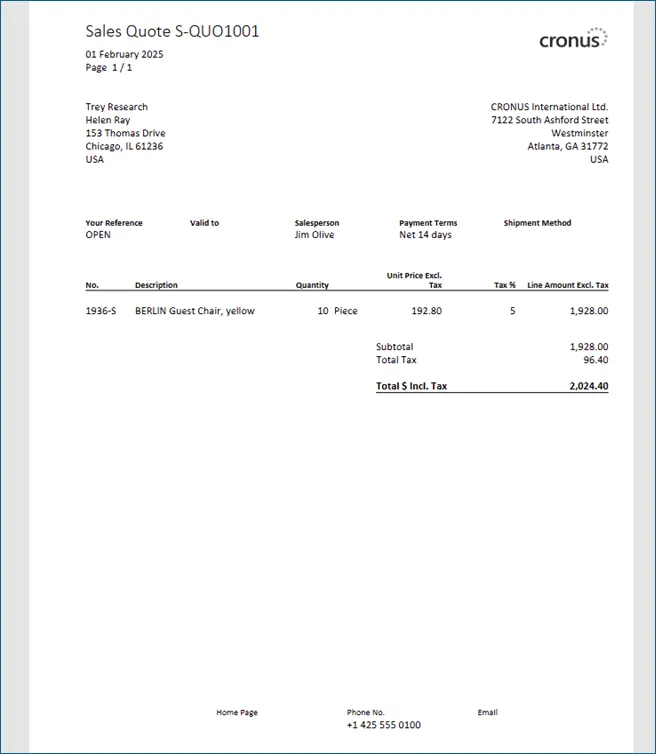
Practical Example: Sales Quote (Print)
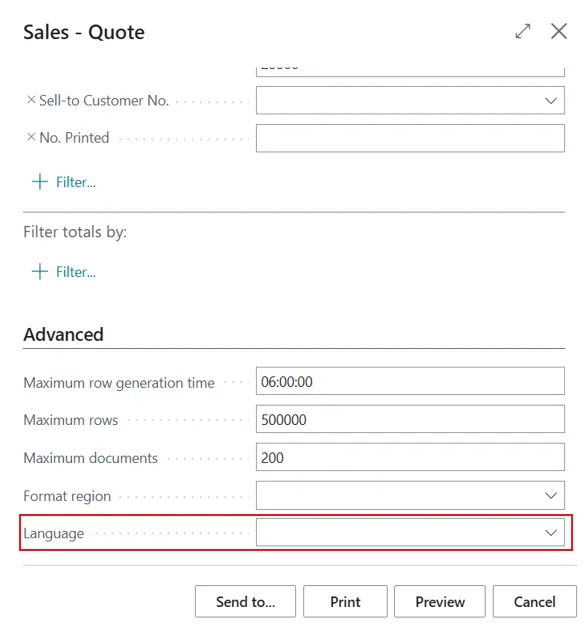
Under the traditional setup, a sales quote would print using:
- The user’s default language
- Or the customer’s language code
- And the region format inherited from those settings
With the new functionality, you can override these defaults at runtime.
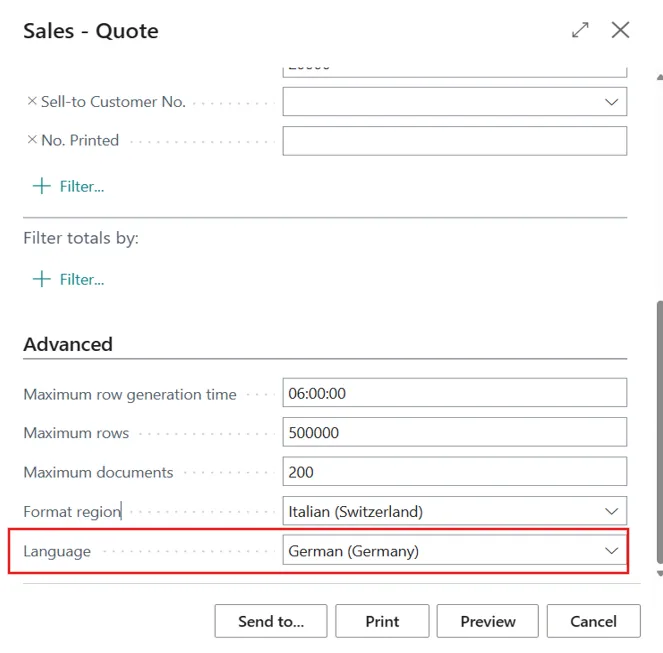
Example scenario:
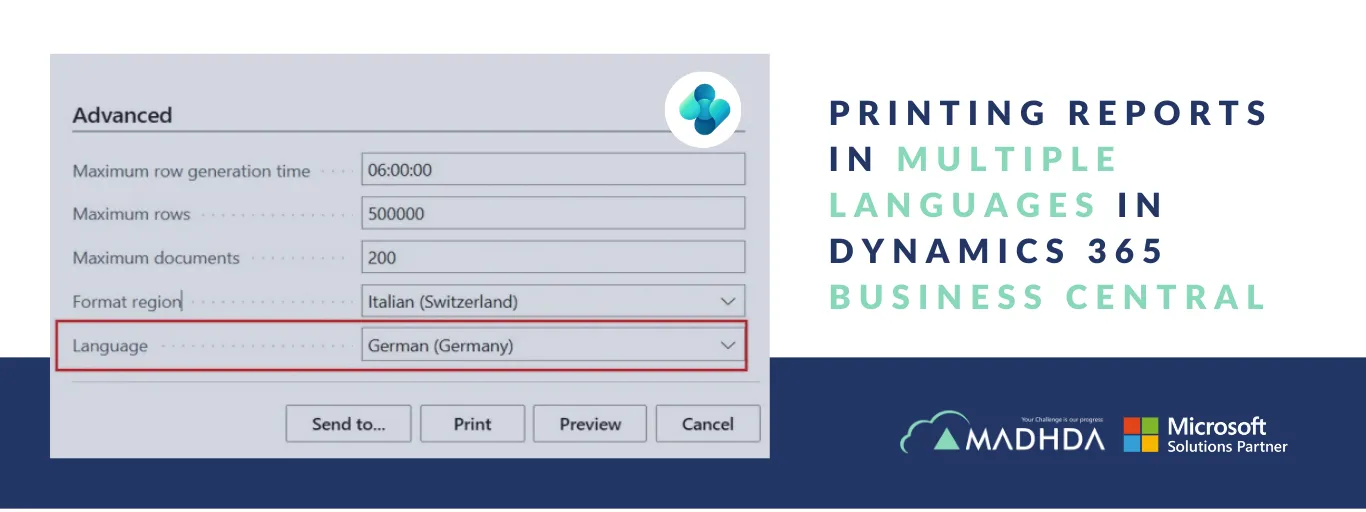
- Report Language: German (Germany)
- Region Format: Italian (Switzerland)
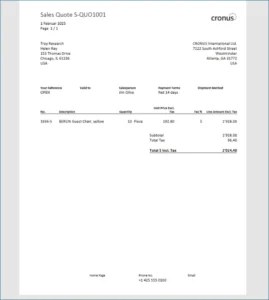
When you print the report:
- All captions and labels appear in German
- Dates, numbers, and currency formats follow Italian (Switzerland) conventions
This provides precise control over both language and formatting, tailored to the recipient’s requirements.
How the Override Works
The advanced report request page settings temporarily override:
User language from My Settings
Customer or vendor language codes
The override applies only to the specific report execution and does not alter system defaults or master data. This makes it ideal for multi‑country, multi‑language business scenarios.
Managing Translations Using app.json
To support multi‑language printing for custom reports and extensions, translations must be properly managed. In addition to manually maintaining XLIFF files, Business Central allows you to control translation behavior through the app.json configuration file.
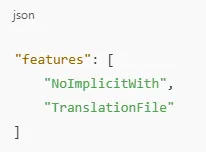
To enable automatic translation file generation, add the Translation File feature under the features property in app.json.
Example configuration:
Once enabled, translations are handled in a structured and consistent way across your extension.
Working with Generated XLIFF Files
After enabling the feature and building your extension, Business Central automatically generates .xlf translation files in the Translations folder.
Each file represents a specific language, for example:
- en‑US.xlf – English (United States)
- it‑IT.xlf – Italian (Italy)
- de‑DE.xlf – German (Germany)
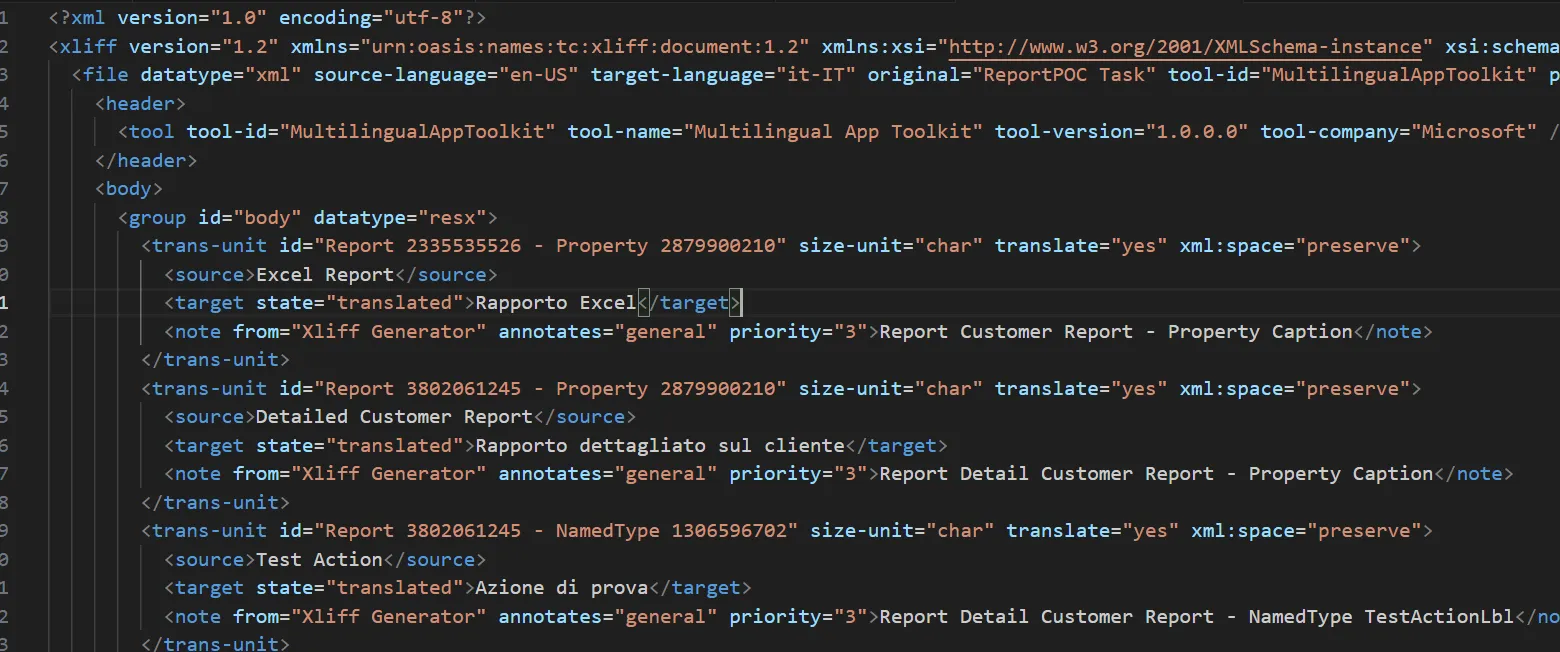
These files contain captions, labels, and actions used in your reports and pages.
When a user selects a report in language at runtime – or when a customer/vendor language code is applied – Business Central automatically uses the corresponding XLIFF file to render the output in the correct language.
Key Business Benefits
- No developer dependency for multi‑language report printing
- On‑demand language and region selection per report
- Accurate localization for international customers
- Cleaner AL code with standardized translation handling
Conclusion
With the introduction of report‑level language and region format selection in Business Central 23, Microsoft has significantly improved localization flexibility. Combined with proper XLIFF translation management via app.json, organizations can now deliver fully localized documents – accurately and efficiently – without customization overhead.
This enhancement is especially valuable for businesses operating across multiple countries, languages, and regulatory environments.
If your organization operates in multiple regions or serves customers in different languages, Business Central’s multi-language reporting capabilities can significantly improve document accuracy and customer experience – when implemented correctly.
At Madhda, we help businesses:
- Configure Business Central for multi-language and multi-region reporting
- Enable and manage report translations using best-practice XLIFF frameworks
- Optimize report layouts, formats, and localization for global operations
- Upgrade and align Business Central features with real business needs
Looking to simplify multi-language reporting in Business Central?
Get in touch with Madhda to ensure your reports are accurate, compliant, and tailored for every market you serve.