
 LinkedIn
  You-tube

- Project Planning & Scheduling
- Resource Management & Utilization
- Project Budgeting & Forecasting
- Time & Expense Management
- Project Billing & Revenue Recognition
- Cost Control & Financial Management
- Team Collaboration & Communication
- Sales & Project Quoting
- Analytics & Reporting Dashboard

Deliver Projects on Time, on Budget with Complete Confidence
Empower your teams with a unified project management solution that connects planning, delivery, finance, and profitability in one platform.


+
Projects Completed
+
BPO clients
+
Certified Experts
locations
Dynamics 365 Project Operations overview
Get the visibility, collaboration, and agility needed to drive success across your project-centric business.
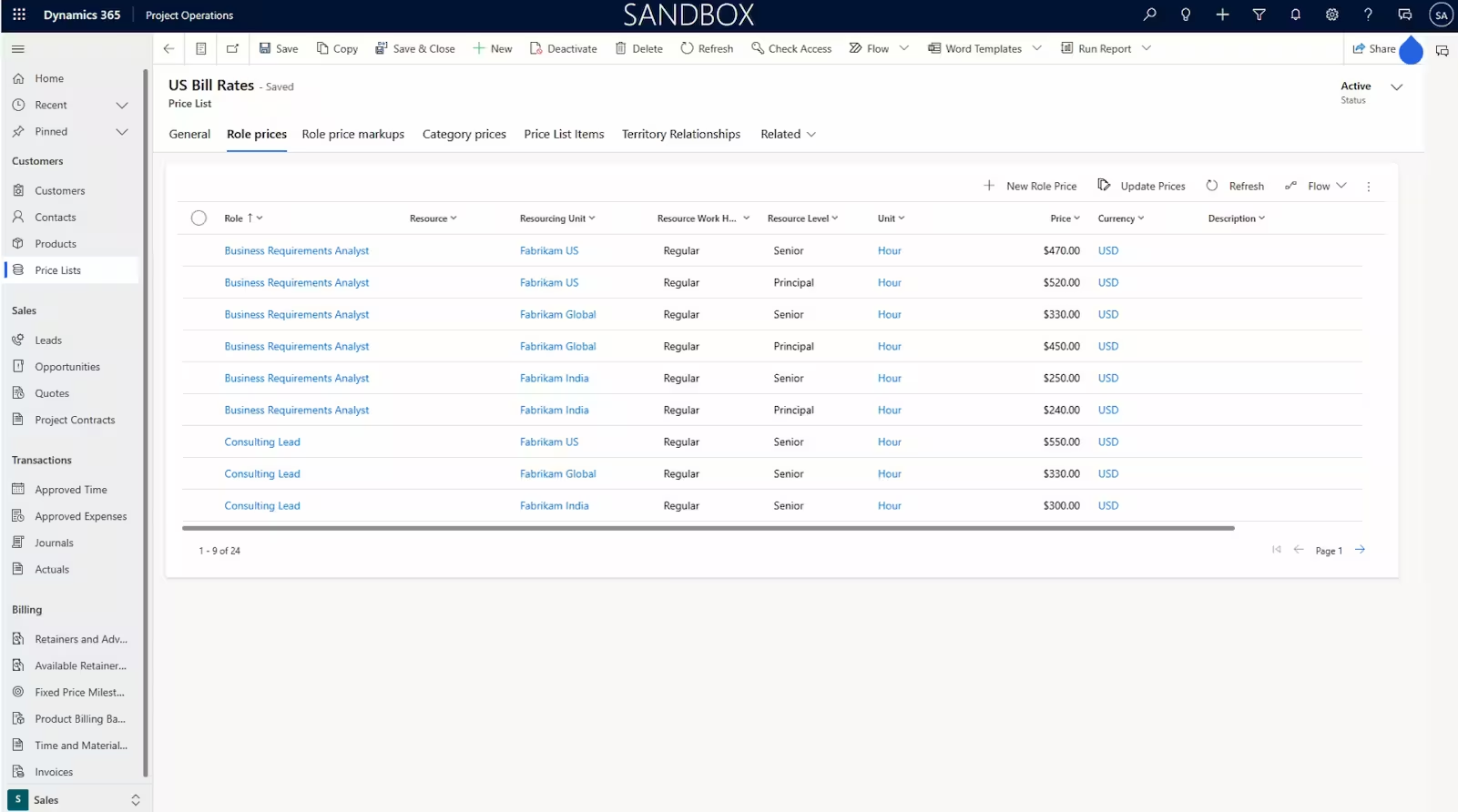
Customize costing and pricing
Model robust pricing and costing variations on geography and local market economics that influence your global workforce and exchange rates.
Use tailored deal structures
Create fixed-price, time and materials, or retainer-type contracts for your projects using adaptable billing models.
Shorten deal cycles
Use standardized templates to quickly develop detailed estimates, schedules, and pricing for quotes.
Manage your pipeline
Consolidate your customer data using the built-in interoperation with Dynamics 365 Sales to get actionable insights.
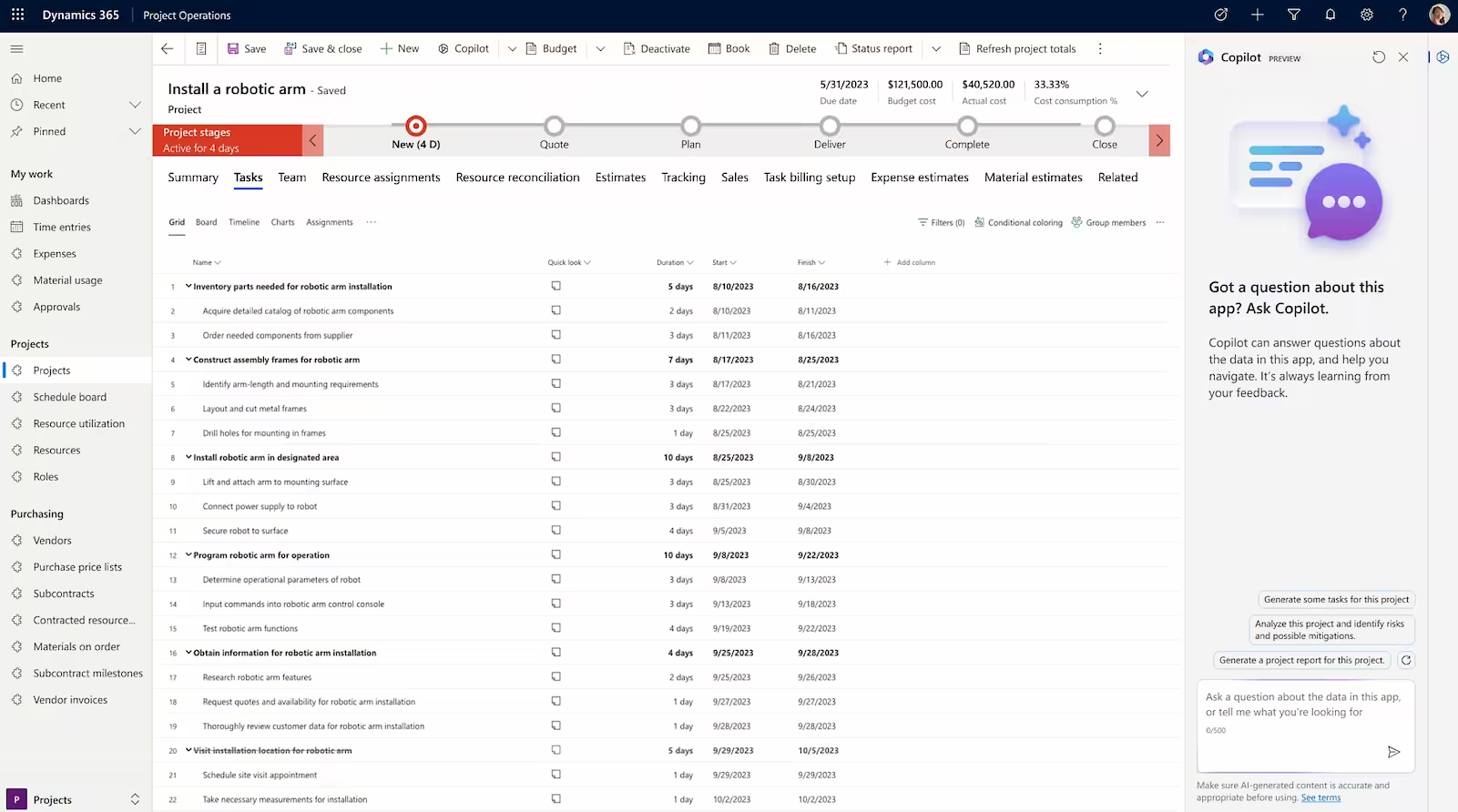
Have the tools to succeed
Improve productivity with Copilot in Dynamics 365 Project Operations. Use AI to generate status reports, identify risk assessments, and build project task plans.
Track projects to budget
Develop accurate estimates for labor, expenses, and materials, and track budget-to-actual consumption as projects progress.
Collaborate across projects
Bring your teams together around project plans, scope, and budget while capturing conversations, sharing content, and using apps.
Adjust projects using insights
Use built-in insights to understand how your projects are trending and drive timely decisions for course correction.
Forecast trends for projects
Create budget and time snapshots for forecasting in resource and non-stocked deployments to get a clear view of spending and progress targets.
Maximize your resources
Easily distribute workloads across your resources to optimize project delivery.
Align people to the right projects
Maintain resource profiles to easily match people’s skillsets with projects and rate skills using proficiency models.
Anticipate resourcing needs
Streamline scheduling and get visibility into resource availability using universal resource scheduling.
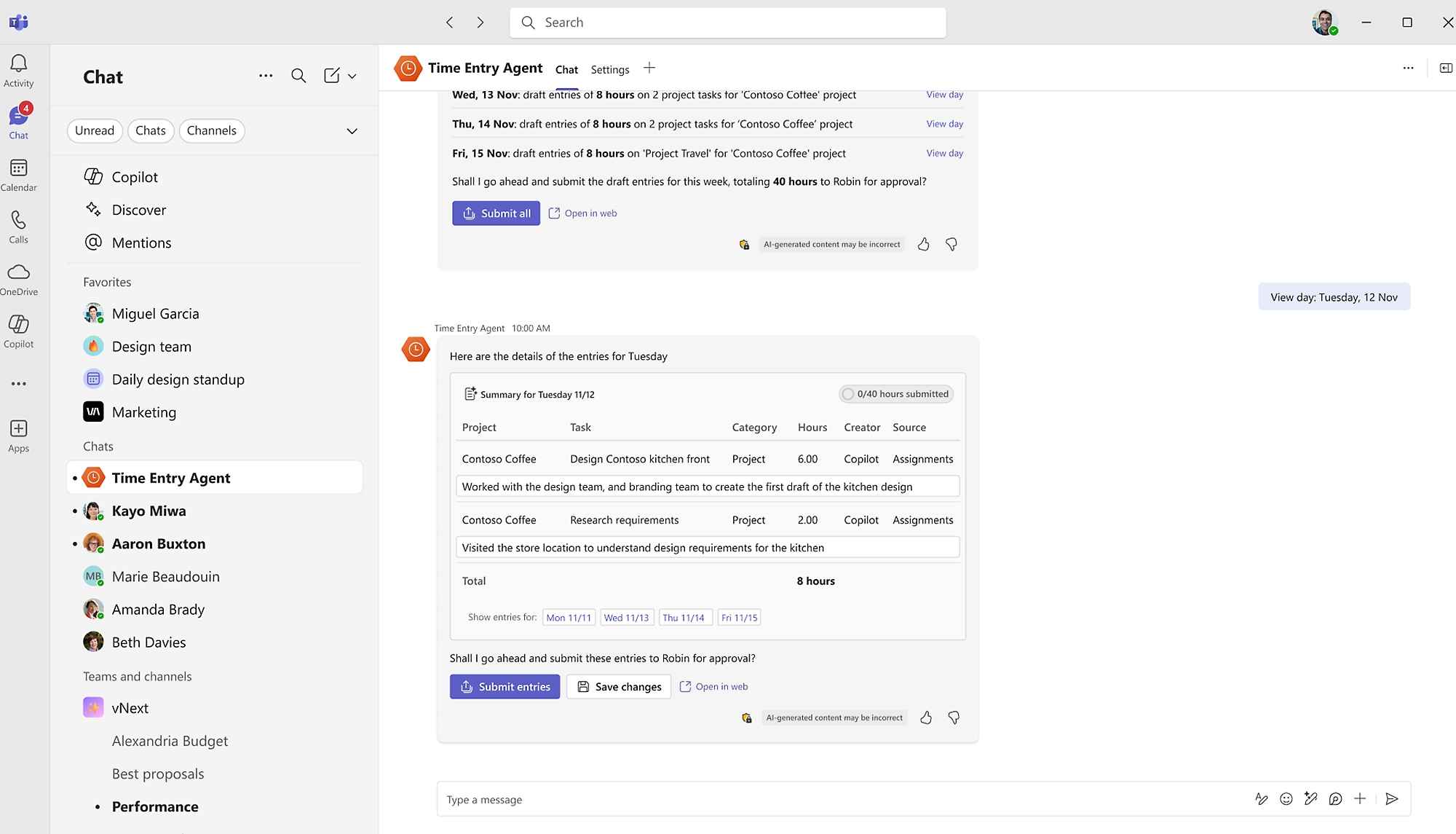
Draft time sheets quickly
Speed time sheet creation with Time Entry Agent (preview)—auto-drafting entries to capture hours, track resources, and bill accurately.
Build expense reports fast
Expense Agent (preview) turns receipts, emails, and trip details into draft reports—cutting effort and enforcing compliance.
Prioritize approvals
Activity Approvals Agent (preview) flags only entries needing review—saving time, reducing backlogs, and enforcing policy.
Recognize revenue accurately
Support your global teams’ adherence to accounting standards and practices, including International Financial Reporting Standards (IFRS).
Improve cash flow
Manage billing queues, subscriptions, and progressive billing. Add details and group transactions to customize invoices for easy reconciliation.
Accurately manage project accounting
Set up project cost and revenue profiles for fixed-price or time and materials billing using accounting rules for cost and revenue, accruals, and postings.
Get a service-centric ERP system
Interoperate with Dynamics 365 Finance or external ERP systems via open APIs to extend financial capabilities.
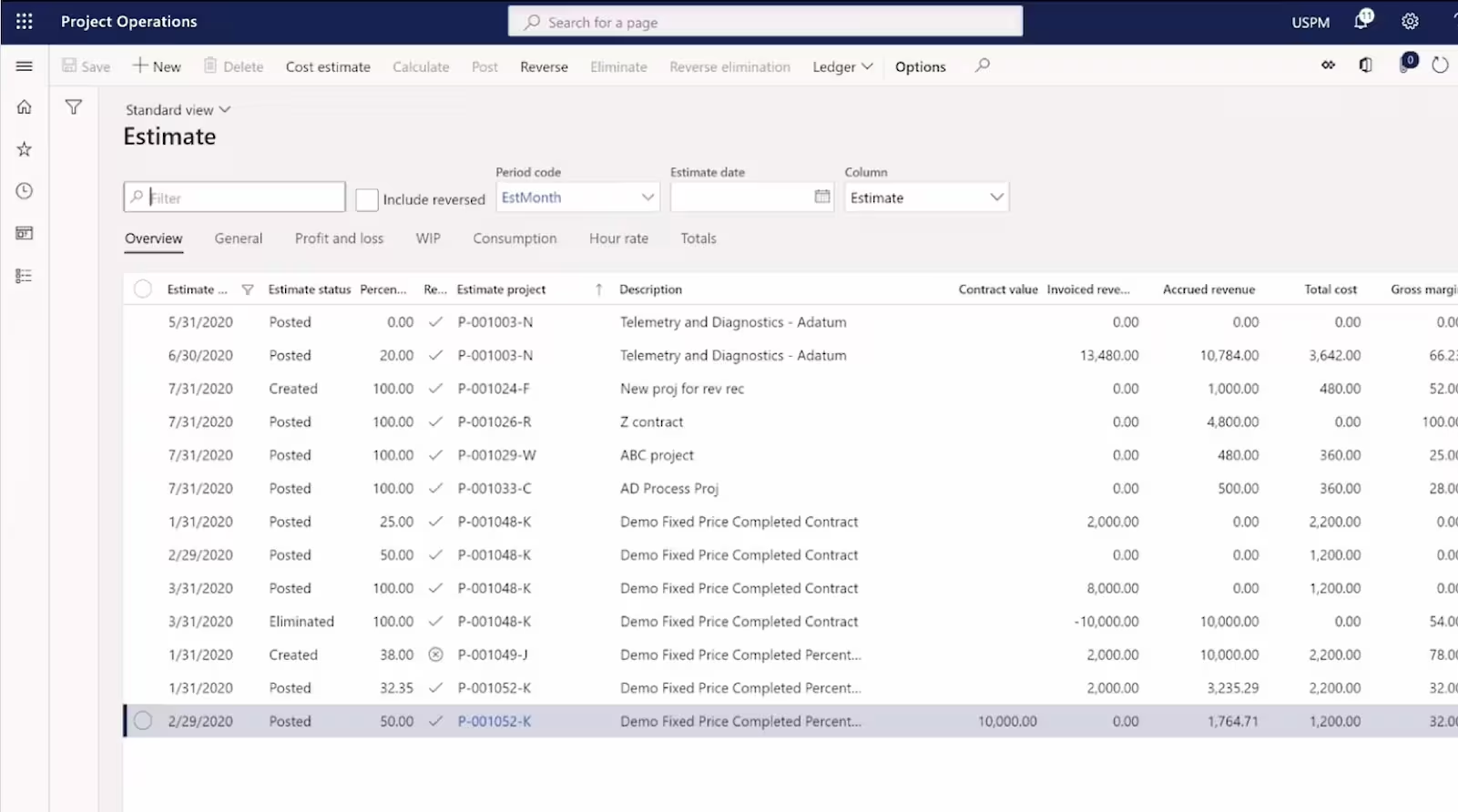
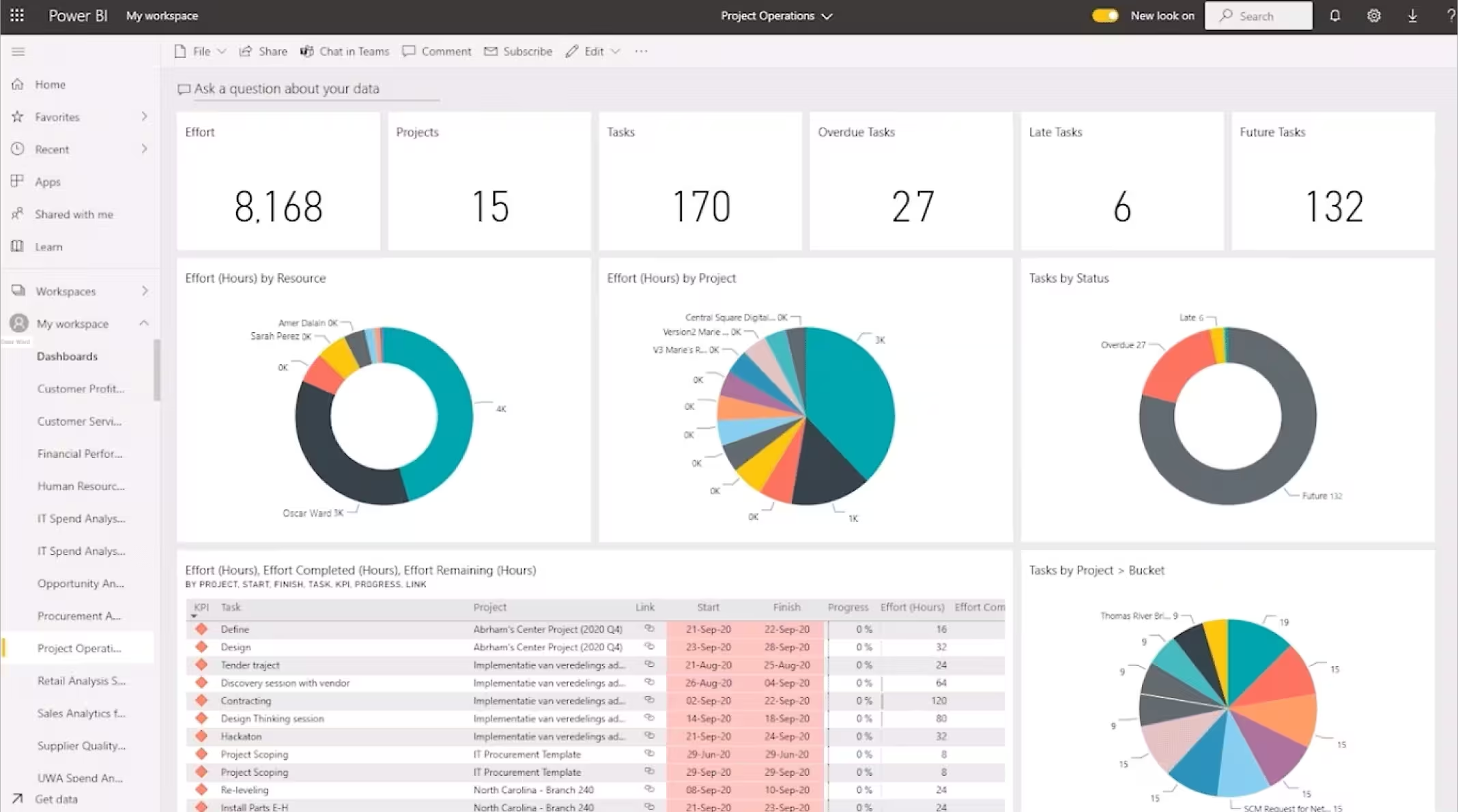
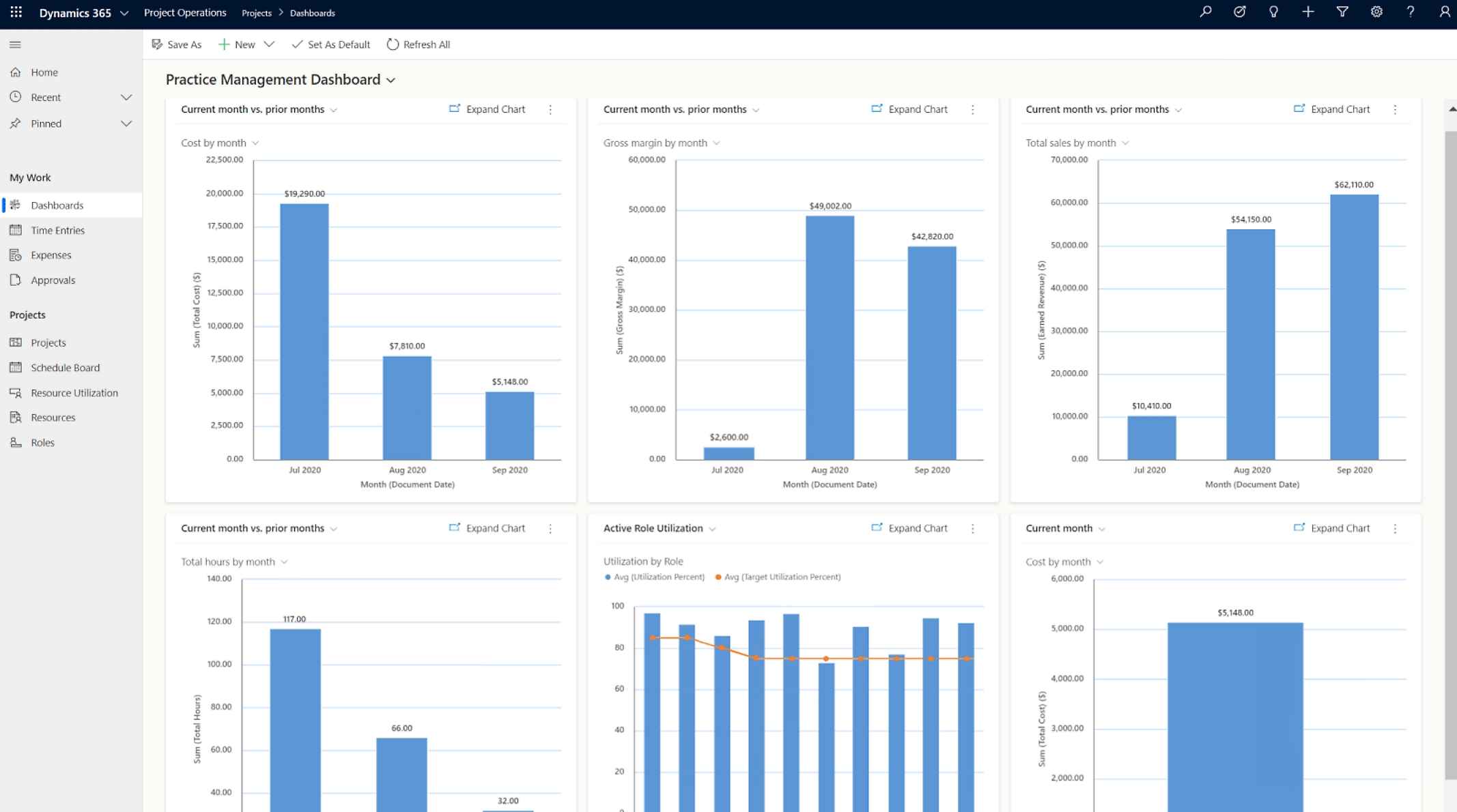
Visualize key insights
Use built-in dashboards surfacing KPIs such as resource utilization, forecasting, and budgeting to quickly adapt to changing business conditions.
Democratize data
Use Microsoft Power BI to easily visualize and share business intelligence with your project teams to help drive better customer outcomes.
Create forecasting snapshots
Generate budget and time snapshots to forecast in resource and non-stocked deployments.
Run projects with ease and agility using
Dynamics 365 Project Operations

Increased productivity with AI
Copilot helps automate actions using AI capabilities such as natural language processing.

Improved accuracy
Shorten the deal cycle with more accurate quotes, forecasting, estimation, and contractor management.

Optimized resource utilization
Enable resource management to align the right people with the right skills to the right project.

Enhanced collaboration
Get contextual insights within the flow of work by centralizing conversations, documentation, and apps in Microsoft Teams.

Simplified time and expense processes
Improve productivity with standardized project templates for submissions and approvals from anywhere, anytime.

Enhanced project visibility
Apply insights throughout the project lifecycle to help ensure delivery within deadlines and budget, maximizing profitability.
Project Automation

Ready to Modernize Your Project Delivery?
Let’s transform how your teams plan, track, and deliver projects.
Schedule a ConsultationD365 Project Operation Package
Dynamics 365 Project Operations
$135 user/month, paid yearly
Get the visibility, collaboration, and agility needed to drive success across your project-centric business.
Custom Price
Custom Price
Reach out to us for accurate pricing, licensing guidance, and deployment options.
Services We Offer

Implementation
Expert deployment of IT solutions, ensuring they are perfectly aligned with your business goals for immediate impact and long-term success.
Explore
Integration
Achieve seamless system connectivity, facilitating real-time data exchange and streamlined workflows across your entire technological landscape.
Explore
Training & Support
Empower your team with comprehensive training and continuous support, maximizing the benefits of your IT investment.
Explore
Upgrades
Keep your technology ahead of the curve with strategic upgrades, enhancing features, security, and system performance to support growth.
Explore
Strategic IT Consulting
Leverage our deep industry expertise to align your IT infrastructure with your strategic objectives, driving efficiency and innovation.
Explore
IT System Audit
Conduct thorough audits of your IT systems to identify vulnerabilities, optimize performance, and ensure compliance with industry standards.
Explore
Migration
Smoothly transitioning data and applications to new platforms with minimal downtime, ensuring business continuity and enhanced performance.
Explore
Add On Development
Tailor your software solutions with bespoke add-ons, enhancing functionality and efficiency to precisely meet your business requirements.
ExploreWhy Choose MADHDA

Microsoft Certified Partner

Proficient Team

Dedicated Support

Competitive Pricing

Custom Configured

Flexible Delivery
Frequently Asked Questions
What types of businesses can use Dynamics 365 Project Operations?
It is ideal for professional services firms, IT companies, consulting agencies, engineering firms, architecture studios, and any business that runs project-based operations.
Can Project Operations integrate with other Dynamics 365 apps?
Yes. It integrates seamlessly with Dynamics 365 Finance, Sales, HR, Customer Service, and Power Platform.
Does it support remote teams?
Absolutely. With cloud access, mobile apps, and Microsoft Teams integration, it supports distributed teams easily.
Can I track profitability for each project?
Yes. You can track costs, revenue, utilization, margin, and forecasted profitability across all projects.
How long does implementation take?
Implementation time depends on project size and complexity. Standard deployments range from 6–12 weeks.
Deliver Projects on Time, on Budget
with Complete Confidence
Call Us:
USA: +1 (302) 303-9860
IND: +91 97242 42267
Email Us:
sales@madhda.com






