LinkedIn
  You-tube

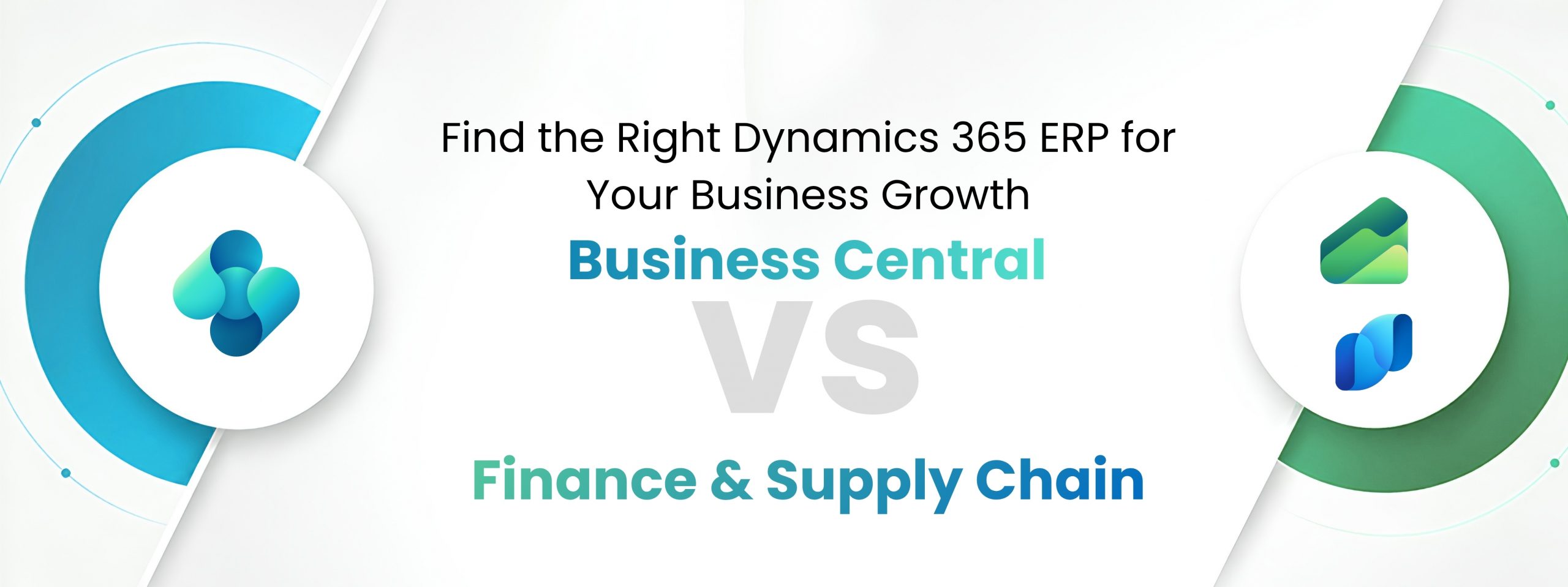

Two Powerful Platforms, One Microsoft Ecosystem Microsoft’s Dynamics 365 suite encompasses two flagship ERP products that, at first glance, appear to serve similar purposes. Both handle financial, operations, and business intelligence. Both are cloud-native, deeply integrated with Microsoft 365, and built on the Azure platform. Yet the two products are designed for fundamentally different organizational profiles and choosing the wrong one can mean millions in unnecessary licensing costs, years of painful implementation, or a system that caps your business at the moment it needs to scale.
This guide cuts through the marketing language to deliver a clear, honest, and detailed comparison examining architecture, functional depth, collaboration tools, total cost, implementation reality, and the specific conditions under which each product wins.
Product Identity – What Each Product Actually Is
Dynamics 365 Business Central
A comprehensive, all-in-one business management solution designed for small and medium-sized businesses. Covers financials, sales, purchasing, inventory, manufacturing, and service management in a single, approachable package.
Dynamics 365 Finance + Supply Chain Management
Two separately licensable enterprise-grade applications delivering deep global financial management and complex multi-entity supply chain orchestration for large, multinational corporations.
Business Central (BC) was born from Microsoft’s acquisition of Navision in 2002 and evolved through Dynamics NAV. Finance & Supply Chain Management (F&SCM) descends from Dynamics AX an enterprise behemoth re-platformed as cloud-native and rebranded under Dynamics 365 in 2016.
Target Audience – Who Each Product Is Built For
| Dimension | Business Central | F&SCM |
|---|---|---|
| Company Size | 1–500 employees (sweet spot: 10–250) | 250+ employees; typically, 1,000+ globally |
| Revenue Scale | Up to ~$500M annual revenue | $100M to multi-billion-dollar enterprises |
| Entities | Single or few legal entities | Dozens to hundreds of legal entities, multiple countries |
| Industry Focus | Wholesale, retail, light manufacturing, services, non-profit | Heavy manufacturing, discrete/process industries, global distribution, defense, automotive |
| IT Maturity | Limited or growing internal IT; relies on partner ecosystem | Dedicated ERP teams, architects, power users; IT Centre of Excellence |
| Decision Maker | Owner, CFO, Operations Director | CIO, VP of Finance, Global Supply Chain Director |
Collaboration & Productivity – How Teams Work Together Inside Each Platform
Modern ERP is no longer just a system of record it’s an active collaboration hub. Both platforms have invested heavily in embedding teamwork capabilities directly into operational workflows, but the depth and target persona differ considerably.
| Feature | Business Central | F&SCM |
|---|---|---|
| Microsoft Teams | Native Teams app – share BC records, data cards, and approvals directly inside Teams channels. Users can act on records without leaving Teams. | Integration via Power Automate and Dataverse; notifications and approval actions pushed to Teams channels; less native than BC. |
| Outlook Add-in | Deep add-in: create quotes, post invoices, link contacts, view customer ledger – directly from email inbox without switching apps. | Integration available; primarily email linking and contact sync rather than full transactional capability. |
| Approval Workflows | Built-in engine for POs, sales orders, journal lines; Power Automate extensions for complex multi-step processes. | Enterprise workflow framework with role-based routing, delegation, escalation, condition branching, and full audit trail. |
| Document Sharing | SharePoint integration per record; OneDrive for personal editing; files linked to customers, vendors, and transactions. | Document Management with SharePoint; Electronic document framework for EDI/XML; Document routing agents for automated distribution. |
| Power BI Embedded | Dashboards embedded on Role Centres; shared via Power BI workspaces; subscription-based report delivery. | Deeply embedded analytical workspaces per module; Azure Synapse integration for real-time enterprise data lakes. |
| Copilot for Teams | Surface order status, customer balances, and inventory queries via natural language — sharable in Teams conversations. | Copilot for Finance generates variance summaries, collection notes, and reconciliation insights for finance team channels. |
| Role Centres | Per-role home pages with KPI tiles, task lists, and activity feeds. Users personalize their own view; admins set defaults. | Workspaces per functional role (AP Clerk, AR Manager, Buyer); Fact Boxes and action panes deeply customizable per persona. |
| Mobile Access | Business Central mobile app (iOS/Android): approvals, expense entry, inventory lookup, customer data on the go. | Finance & Operations mobile app; Warehouse Management app (Android); field optimized interfaces for warehouse workers. |
| Vendor/Customer Portals | Via Power Pages or ISV extensions (e.g. Continia); no native self-service portal out of the box. | Native Vendor Collaboration portal: RFQ responses, PO acknowledgements, invoice submissions — vendors collaborate directly. |
| Intercompany | Basic intercompany — purchase orders and sales orders routed between two BC companies automatically. | Advanced intercompany accounting: automated elimination, intercompany journals, transfer pricing, netting, and centralized payments. |
| Excel Integration | Bi-directional Excel editing: pull any dataset into Excel, edit collaboratively, publish changes directly back to BC — no import/export cycle. | Excel Add-in for bulk data entry; Financial Reporter exports; less fluid for casual bidirectional collaboration than BC. |
Beyond the shared framework, each platform has standout collaboration capabilities tailored to its audience.
Microsoft Dynamics 365 Business Central
1. Outlook-Native Sales Workflow
Salespeople never leave their inbox. BC’s Outlook add-in lets them convert emails into quotes, view a contact’s full purchase history, check credit limits, and post invoices – without opening a browser tab.
2. Teams Record Sharing
Any BC record – an order, invoice, or customer – can be pasted as a rich card into Teams. Colleagues see live data without needing a BC license, and licensed users can take action directly from the chat.
3. Excel Bi-directional Editing
Finance teams pull any BC dataset into Excel, edit collaboratively, and publish changes directly back – ideal for bulk journal entries, budget uploads, and price list management.
4. Lightweight Approval Chains
BC’s built-in approval engine handles typical SMB scenarios purchase order limits, journal approvals, and sales discount sign-offs with email and Teams notifications so approvers respond from anywhere.
Microsoft Dynamics 365 Finance & Supply Chain Management
1. Vendor Collaboration Portal
External vendors log into a native self-service portal to respond to RFQs, acknowledge POs, submit invoices, and track payment status dramatically reducing email back-and-forth for procurement teams.
2. Dual-Write Real-Time Sync
F&SCM’s Dual-write architecture keeps data in perfect sync with D365 Sales and Customer Service in real time. Sales reps see live inventory; finance teams see closed deals immediately – no overnight batch.
3. Enterprise Workflow Engine
F&SCM’s workflow system supports complex multi-step, multi-approver routing with conditional branching, delegation rules, escalation timers, and a full audit trail – built for SOX-compliant organizations.
4. Activity-Based Collaboration
F&SCM’s Activity module provides task assignment, follow-up tracking, and case management across teams enabling structured collaboration on procurement disputes, quality issues, and credit holds at scale.
Key Takeaway: Business Central wins on day-to-day user experience collaboration – its Outlook and Teams integration is the tightest in the ERP market for SMBs. F&SCM wins on structured, process-governed collaboration at scale – vendor portals, enterprise workflows, and real-time cross-application data sync are unmatched in the mid-market space.
Financial Management Capabilities
Both platforms offer double-entry accounting, GL, AP, AR, fixed assets, cash management, and budgeting. The divergence emerges in multi-entity, multi-currency, and regulatory compliance depth.
| Capability | Business Central | D365 Finance |
|---|---|---|
| Chart of Accounts | Flexible single-company CoA with dimensions for segment reporting | Shared CoA across entities with financial dimensions framework supporting unlimited segment combinations |
| Multi-currency | Standard multi-currency with up to 2 reporting currencies | Unlimited currencies, triangulation, real-time rate feeds, sophisticated currency revaluation |
| Consolidation | Basic intercompany consolidation via the Consolidation module | Advanced financial consolidation with minority interest, partial ownership, elimination rules across 100+ entities |
| Revenue Recognition | Basic deferred revenue; ASC 606 via ISV extensions | Native ASC 606 / IFRS 15 engines with contract-level revenue recognition schedules |
| Global Tax | Basic VAT/GST; region-specific via ISV partners (Avalara, etc.) | Built-in global tax engine: US sales tax, EU VAT, GST, withholding tax, country-specific compliance |
| Financial Reporting | Financial Reports, Excel integration, Power BI embedded | Financial Reporter with row/column definitions; Regulatory reporting module |
| Audit & Compliance | Audit trail on all transactions; GDPR tooling built-in | Full compliance framework: SOX controls, SAF-T, country-specific e-invoicing mandates |
Supply Chain & Manufacturing Capabilities
| Capability | Business Central | D365 Supply Chain |
|---|---|---|
| Inventory | Multi-location, item tracking (lot/serial), bins, SKUs | Advanced WMS with license plate tracking, zone directed put-away, wave processing, container management |
| Demand Planning | Requisition planning, reorder point, MRP via planning worksheet | Master Planning (MRP/MPS), Demand Forecasting with ML models, Planning Optimization add-in |
| Manufacturing | Production orders, BOMs, routings, capacity planning (basic) | Discrete, process, and lean manufacturing; finite/infinite capacity scheduling; MES integration |
| Procurement | Purchase orders, vendor management, requisitions, basic approvals | RFQ management, vendor portal, spend analysis, purchase agreements, category management |
| Warehousing | Directed put-away and pick, mobile device support (basic WMS) | Full WMS: labor management, slotting optimization, 3PL integration |
| Transport Mgmt. | Shipping agents’ integration; basic freight management | TMS: rate shopping, load planning, carrier integration, freight reconciliation |
| Asset Management | Fixed assets depreciation; basic maintenance tracking | EAM: preventive maintenance, work orders, IoT sensor integration, spare parts management |
Key Modules at a Glance
Business Central
- Financial Management – GL, AP, AR, FA, cash flow
- Sales & CRM – Quotes, orders, contacts
- Inventory & WMS – Multi-location, lot/serial
- Manufacturing – BOMs, routings, MRP
- Service Management – Contracts, dispatching
- Project Management – Jobs, time & expenses
Finance & Supply Chain Management
- Global Financials – Multi-entity, compliance
- Supply Chain Orch. – Planning, procurement, TMS
- Advanced Manufacturing – Discrete, process, lean
- Advanced WMS – License plates, waves
- AI & Analytics – Demand forecast, insights
- Asset Management – EAM, IoT, maintenance
Implementation Reality – What to Expect During Deployment
| Factor | Business Central | F&SCM |
|---|---|---|
| Timeline | 3–9 months (standard); 12–18 months (complex) | 12–24 months (typical); 36+ months for large global rollouts |
| Implementation Cost | $20K–$300K (services); varies by scope | $500K–$5M+ (services); large enterprises often exceed $10M–$20M |
| Partner Ecosystem | Thousands of global partners; 2,000+ AppSource ISV apps | Fewer but larger specialized partners; Microsoft FastTrack program |
| Customization | AL extensions on AppSource; custom per tenant extensions; SaaS-safe | X++ development; ISV layering; Power Platform extensions |
| Data Migration | RapidStart Services; third-party migration tools; manageable | Data Migration Framework (DMF); complex entity mapping |
| Upgrade Path | Continuous updates; major releases every 6 months; automated | One Version policy; planned major releases; regression testing critical |
Complete Cost Structure Guide: Transparent Licensing & Pricing
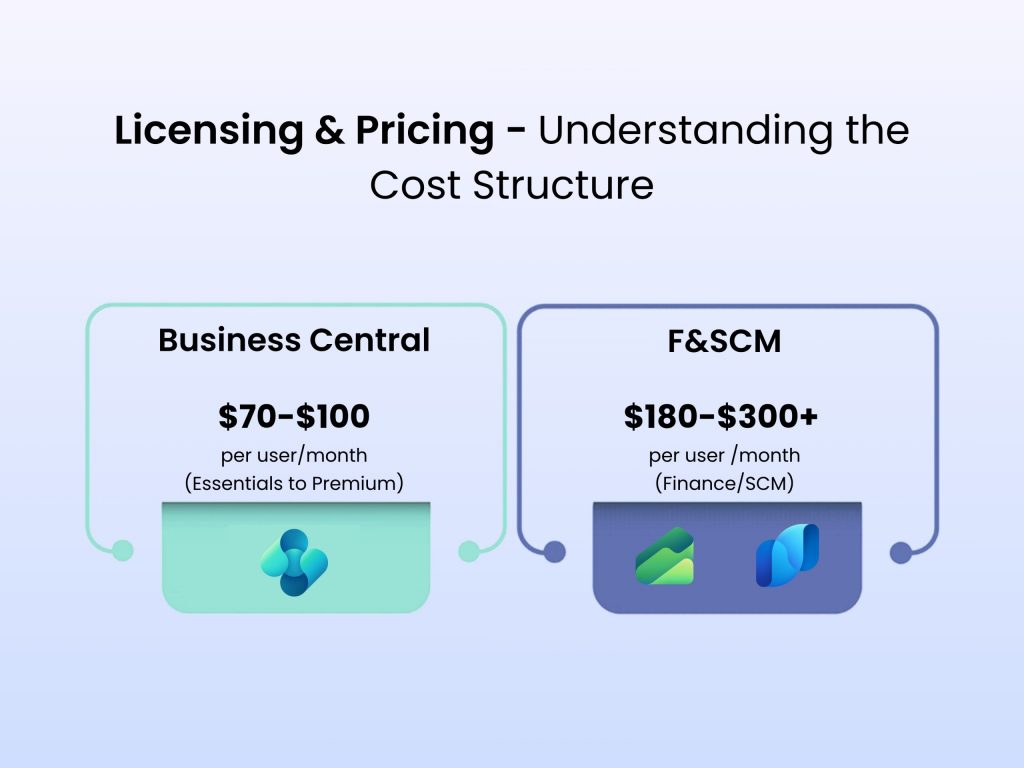
Business Central– $70 – $100 per user/month
Include: Full financials, sales, purchasing, inventory, manufacturing. Team Member licenses ~$8/user/month for read access.
Finance & Supply Chain- $180 – $300+ per user/month (Finance / SCM licensed separately)
Note- Finance and SCM are separate SKUs. Activity licenses ~$50/user/month. Attach licenses reduce cost for existing D365 CE users.
How Each Platform Connects to Your Stack
| Integration | Business Central | F&SCM |
|---|---|---|
| Microsoft 365 | Deep native integration: Outlook add-in, Excel bi-directional, Teams record sharing | Good M365 integration; enterprise governance emphasis; less fluid day-to-day UX |
| Power Platform | Native Power BI, Power Automate, Power Apps Canvas apps | Full Power Platform suite; Dataverse integration; Dual-write real-time sync |
| Azure Services | Azure Functions, Logic Apps, Service Bus via API Management | Azure Synapse Analytics, Data Lake, Machine Learning natively; Azure IoT Hub |
| D365 CRM | BC–Sales integration available; not native Dual-write | Dual-write: real-time bidirectional sync between F&SCM and D365 Sales/CE |
| Third-Party Apps | AppSource: 2,000+ apps; Shopify, Salesforce, HubSpot connectors | Electronic reporting engine; EDI via third party; APIM gateway |
| APIs | REST APIs (OData v4), Webhooks, Business Events framework | OData, REST, SOAP; Data entities; Electronic messaging framework; X++ extensibility |
AI & Innovation – Copilot & AI in 2026
| AI Feature | Business Central | F&SCM |
|---|---|---|
| Copilot Chat | Natural language queries on orders, inventory, customers; document summarization | Copilot for Finance: variance analysis, collection summaries, reconciliation automation |
| Predictive Analytics | Late payment prediction, cash flow forecasting, inventory recommendations | Demand forecasting (Azure ML); intelligent order promising; predictive quality |
| Automation | Intelligent document processing (invoices, POs), bank reconciliation AI | Invoice capture automation; automated financial close workflows |
| Reporting AI | Copilot-generated financial summaries; natural language report building | AI-generated FP&A narratives; Synapse powered analytics; embedded Power BI with AI visuals |
Which Platform Is the Best Fit for Your Business?
Choose Business Central
- If the employees are under 500 & revenue is under $500M
- If you have single country or simple multi-entity structure
- If you need to go live in under 12 months
- If your budget is under $500K for total implementation cost
- If you want tight Microsoft 365 user experience
- If you require ISV flexibility via AppSource
- If the manufacturing complexity is light to moderate
- If your industries are – wholesale, retail, services, or non-profit
Choose F&SCM
- If the employees are more than 1,000+, have multiple countries and have multi-entity structure
- If you have complex manufacturing or regulated industry
- If your requirements are advanced WMS or TMS
- If the compliance needs are – ASC 606, SOX, SAF-T, or IFRS
- If you have large procurement with RFQ processes
- If you are already running D365 CRM at scale
- If you need Dual-write real-time synchronization
- If you have IT resources to sustain a complex ERP
How Madhda Helps You Choose & Succeed
Selecting the right ERP is only half the battle; the other half is implementing it correctly, with a partner who understands both the technology and your business. This is where Madhda Inc comes in.
Madhda is a certified Microsoft Dynamics 365 partner specializing in both Business Central and Finance & Supply Chain Management as well as the full Microsoft Power Platform ecosystem. With deep expertise across IT implementation, BPO services, and proprietary add-on products, Madhda offers end-to-end support from the moment you begin evaluating ERP options to long after go-live. Unlike generic consultants who push a single product, Madhda’s team has hands-on experience across the entire Microsoft ERP spectrum from legacy Dynamics NAV and AX migrations to greenfield cloud deployments enabling them to recommend the solution that truly fits your business.
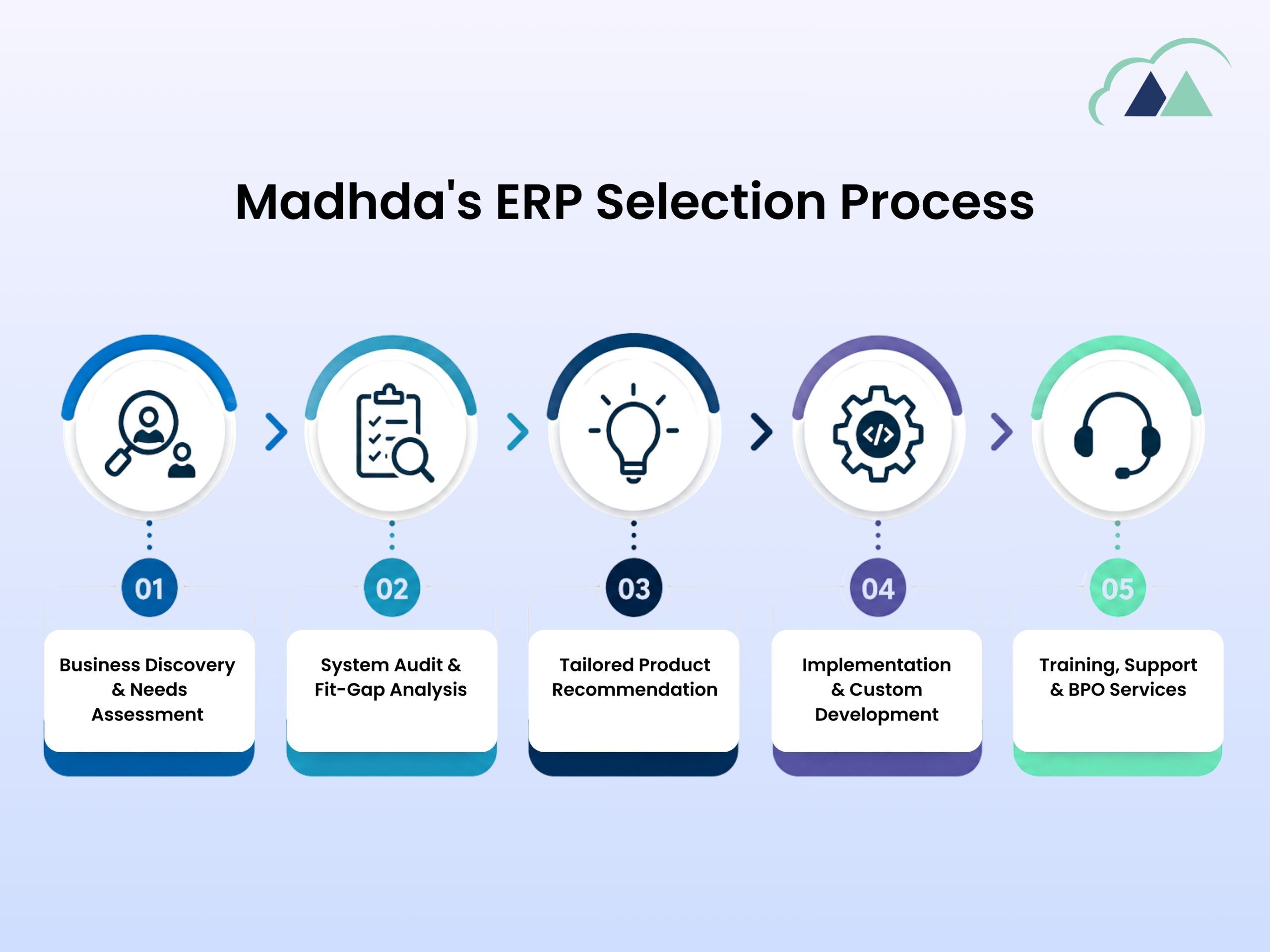
Madhda’s ERP Selection Process
1. Business Discovery & Needs Assessment
Madhda’s consultants conduct structured workshops to map your operational complexity, financial reporting requirements, team size, growth trajectory, and budget building a clear picture of where you sit on the BC vs F&SCM spectrum.
2. System Audit & Fit-Gap Analysis
If you’re migrating from an existing system (Dynamics GP, NAV, AX, Sage, QuickBooks, NetSuite, or Oracle), Madhda performs a detailed IT System Audit to identify data migration risks, customization gaps, and integration dependencies before any ERP commitment is made.
3. Tailored Product Recommendation
Based on assessment findings, Madhda presents a clear, justified recommendation Business Central, D365 Finance, D365 Supply Chain, or a hybrid approach with a realistic TCO model and implementation roadmap.
4. Implementation & Custom Development
Madhda’s team handles end-to-end implementation, including custom add-on development (DynaConnect, HRMS, PortWise 365, Notify 365 for WhatsApp), integration with third-party systems, and ISV deployments (Continia, Tasklet WMS, LS Retail, ExFlow, and more).
5. Training, Support & BPO Services
Post go-live, Madhda offers structured training programs, ongoing support, and BPO services accounting, bookkeeping, payroll, virtual CFO functions, and back-office operations run directly within your ERP environment.
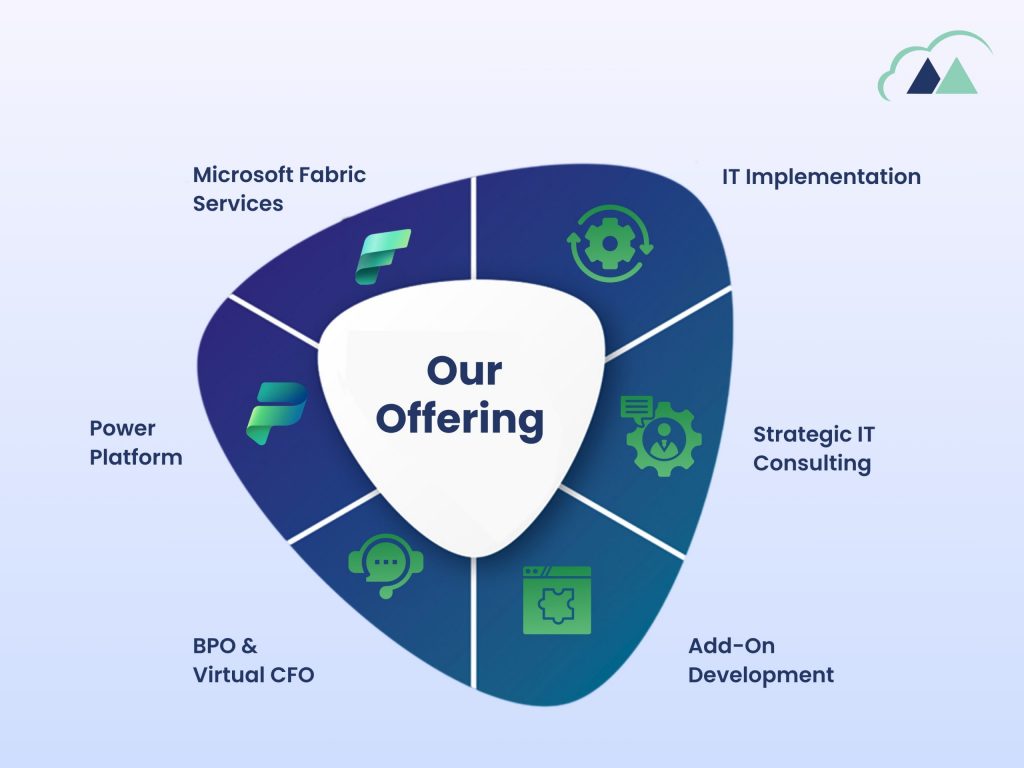
What Madhda Offers
IT Implementation
Full lifecycle ERP implementation, upgrades, migration from legacy Dynamics GP, NAV, AX, and on-prem systems to cloud.
Strategic IT Consulting
ERP selection advisory, architecture design, roadmap planning, and IT system audits to de-risk your investment.
Add-On Development
Custom modules built natively on BC and F&SCM – HRMS, WhatsApp notifications, property management, advanced purchasing, and more.
BPO & Virtual CFO
Outsourced accounting, bookkeeping, payroll, paraplanning, tax preparation, and Virtual CFO services executed inside your ERP.
Power Platform
Power BI dashboards, Power Automate flows, Power Apps, Power Pages portals extend your ERP into a full digital operations hub.
Microsoft Fabric Services
Data Lakehouse architecture, real-time analytics, and enterprise data integration via Microsoft Fabric turning ERP data into strategic intelligence.
Business Central and Dynamics 365 Finance & Supply Chain Management are not competitors; they are different tiers of the same Microsoft ERP ecosystem, designed for organizations at fundamentally different stages of complexity. Choosing between them is less about feature comparison and more about honest self-assessment of your organizational scale, operational complexity, budget tolerance, and strategic trajectory.
For most growing businesses, companies that need a modern, cloud ERP that is affordable, fast to deploy, and deeply integrated with the Microsoft productivity tools their teams already use Business Central is the superior choice. It is powerful enough to run a $200M business, flexible enough to extend with AppSource apps, and simple enough that your team will actually use it.
For large, globally distributed enterprises with complex multi-entity financials, industrial-scale supply chains, heavy manufacturing operations, or regulatory obligations across multiple jurisdictions – Dynamics 365 Finance & Supply Chain Management delivers capabilities that Business Central simply cannot match. The implementation of investment is enormous, but so is the return when deployed correctly.
Not sure what to choose and how to start? That’s exactly what Madhda is built for. Our certified Microsoft Dynamics consultants will walk you through an objective assessment no product bias, no unnecessary upselling and help you build a roadmap that’s right for your business today and scalable for where you’re going tomorrow.
Visit www.madhda.com or call +1 (302) 303-9860 to get started.